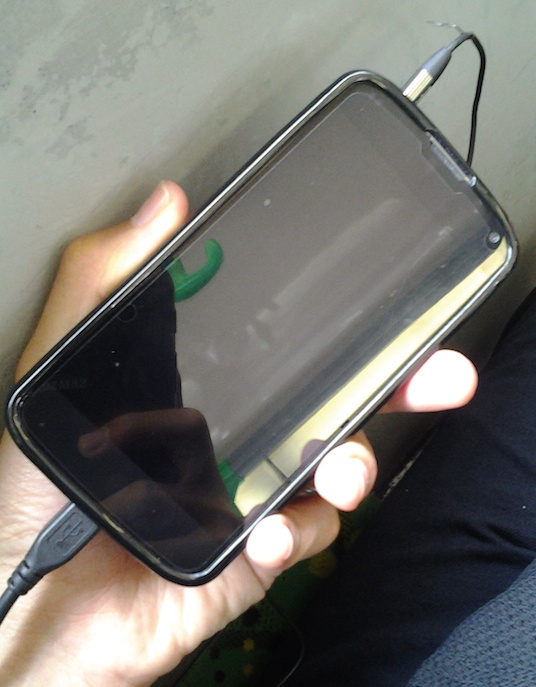
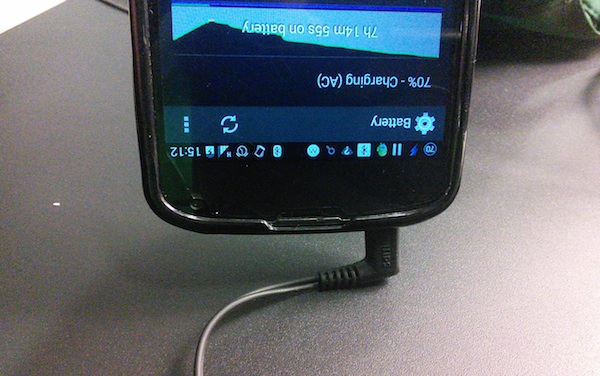
both USB/charging port and headphone ports should be on the bottom
ensures pocketability when charging on the go with a USB battery pack while listening to music
Good
iPhone 5S
HTC One M8
Bad
Nexus 5
Samsung Galaxy S5
Lumia 930
Other Notes
If you’re stuck on with a device with non optimal port placement, I suggest getting right angle connectors for your headphones as it at least allows the device to rest on the connector without straining anything too much (you could also get a right angled USB connector, but it is yet another thing to worry about if you care about USB charging speeds)
This is the first version of my podcasting setup that I’m relatively happy with as it is clean without too much things going on. I’ve used this for Corner Geeks and some Tech Talk Coffee Shop episodes.
If you’re curious of what podcasting is, it is the production of podcasts. Podcasts are basically recorded shows that are downloadable off the Internet. Do listen to Simply Geek #8 – Podcasting where they discuss it in further detail. Those interested in podcast production check out Simply Geek #17.1: Podcast Production Part 1 and Part 2 that I had to opportunity to play guest in
I explain the process of my setup in the Youtube video below
Steel Series Mobile Devie Adapter – bought at Chong Hock in Kiulap for about B$26. This is needed as the MacBook Pro has a headset jack instead of individual stereo out and microphone in jacks
An alternative to LineIn is Audacity (enable “Software Playthrough” in the Transport menu and click “Start Monitoring” in the input device) or LadioCast but LineIn is the simplest method for this setup. For Windows and Linux users, the Audacity method should work just fine.
If you have any questions, feel free to leave a comment or tweet me @thewheat and in the mean time listen to some Brunei-made podcasts: Corner Geeks and Talking Aloud

 The Wheat Field