
Thank you E-Speed and Telbru technical support people =)
Will update the tales of my complaint and resolution soon
Powered by ScribeFire.
http://blog.thewheatfield.org
Thank you E-Speed and Telbru technical support people =)
Will update the tales of my complaint and resolution soon
Powered by ScribeFire.
**2008-08-29 Update here**
For those who haven’t heard about the DNS threat recently head over to Doxpara Research to test and see if you DNS name server’s are vulnerable. For public knowledge as of the 9th of August 2008 that TelBru‘s name servers for e-Speed (using residential 512kbit/s line) and I would guess Zoom! are vulnerable as show below:

Tried using all the name servers as listed on Interenet Assigned Numbers Authority so with that everybody do change your DNS settings to use OpenDNS (Nameservers: 208.67.222.222, 208.67.220.220) and be a happy camper knowing that your Internet is safe safer.
The safety of OpenDNS:

**2008-08-29 Update**
Seems like Telbru has patched their servers. Sweet. Did anybody else have timeout issues when they switched to OpenDNS?
Nonspoofable source to test your DNS servers: 149.20.3.33/test
Powered by ScribeFire.
Photos taken from a Shell petrol station near the Berakas roundabout:

So I went to fill the car up with some petrol and I was thinking to myself “okay, I’m going to get Premium Ron 97 (the one with the green handled pumps / green colour)” but when I saw that first sign, I was taken aback and was left wondering. Until I saw the following and was relieved to find out my brain isn’t deteriorating faster than I think it was/is.

Why Consistency is Critical.
So the ‘correct’ colour petrol grades are as follows:
| Green | Premium Ron 97 |
|---|---|
| Red | Super Ron 92 |
| Black | Diesel |
I think….
Powered by ScribeFire.
As the guy from Berakas continues to do us a great service I thought I’d help chip in with this Google spreadsheet Mobile Broadband Speeds Tests – Brunei: Comparisons (http://snipurl.com/gozoom).
So the other day when I was using the office’s spare LCD monitor it just suddenly died so boss had me bring it to Komputer Wisman as they are an “HP Premier Business Partner and an HP Authorised Service Delivery Partner” and the dead monitor was an HP. So anyway I brought the monitor there and told them that I don’t have the warranty details and boss asked me to have it fixed. After some testing the backlight seemed problematic so they recommended to just buy a new one. So I took the LCD monitor to the car and drove off after telling boss that they recommended buying a new one, thinking boss would ask me to buy a new one. Then he asked me to ask them how much they are selling LCD monitors. Doh! Drove one round and parked back in the same parking and heading to the sales unit as opposed to the service center. Asked the guy a few questions and he was insistent on whether the service guys checked the serial number on the broken LCD. As it turns out they can check the warranty online even though the stuff is from KL. So I went back to the service center and the guy told me that monitors are not covered so oh well. But I did ask the sales guy about the HP 2133 Mini-Note and he did say that it’ll be here next week for launch but may not be available to the public. I wonder if I can get a sneak peek and hands on =p Please salesman John (who I highly commend on your service), please?
Powered by ScribeFire.
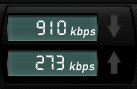
Nice to see them enjoying the lower e-speed rates and passing the benefits to the customers. Thanks e-speed and Blue Eden
*Updated to add bmobile’s Macbook Air, Macbook, Viao offerings
So we people in Brunei finally have mobile broadband. For those who don’t know b-mobile launched their Zoom! service on the 4th April 2008 and now we have DST’s competing solution of GO! which was introduced on the 1st of May. Both are based on HSDPA which is a 3G protocol and require a 3G capable SIM card that allows voice, SMS and data.
When I first heard about Zoom! a month ago with its “up to” 3.6 Mbps connection I was intrigued and interested (which mobile warrior wouldn’t be?) so I went down to their road show at the Mall. So I went up to the guy to ask a few questions and he told me that there was 3 different speed tiers something like 1Mbps, 3.6 Mbps and something else that I can’t remember. After talking the one of the guys at their booth in the 2nd Brunei Consumer Fair last night I was told that they indeed do NOT have any tiers: just a single 7.2 Mbps (upgraded from 3.6 Mbps to meet the competition). Talk about misinformation. And the guy didn’t even want to tell me the prices plans. The guy was a bit unsure of the product as I asked if I needed to install special software for the device and whether it was cross platform and he said no. So I asked him if I were to boot into OS X or Linux would it work as well? Then he said something like no you need to install software from the CD. I take it, he was talking about the drivers but I honestly wonder how good is the Linux support as it does seem that they have Windows & Mac support which is nice but more on this later. So initially the Zoom! package is 3.6Mbps with 2GB of free data and $0.50/MB after the free usage. That how I read it until I went to the fine print or the FAQ page where it says that there is a cap of $40 on the excess data charges beyond which you are not charged, i.e. in other words for those who download loads of stuff it’s basically base price + $40 for unlimited usage. Now there comes to my other problem I had. What is the base price? It is not the listed on the website. Only after talking to them last night I found out the monthly charge just for the service is $59! So in total that would be $99 (at most) for unlimited data.
So come the 1st of May and GO! arrives and we get to see what offerings DST has up their sleeve has they had practically a month to see how Zoom! did and to strategize in order to compete. And after getting the details (all online I might add, as Jerudong Park Amphitheatre is a pretty long way to go just for the roadshow, and I just don’t have the time right now) I can say that they have indeed put up a great offer. 2 distinct plans: Basic and Unlimited (nice to see that they actually defined it properly). Prices for the basic: $38 with 2GB free data after which it’s $0.20/MB. The bill is capped at $88 (after which I assume it’s unlimited data) while the Unlimited package goes for $78. Both come with a free Simpur email account which is nice but nothing fantastic (Unlimited plan gets you Simpur Email Alert, which I guess is SMS to your phone?).
Now both solutions offer package deals with laptops and such but GO! even has a package with a wireless router (Ericsson W25 Router) that even has USB ports that support both print server and mass storage (and it better considering it cost’s $600)! b-mobile offers a Dell Vostro 1400 / HP Compaq V3700 / Asus EEE PC900. Yup that’s right the EEE PC900!! When I saw that In the papers on Friday I was estatic so I went there and only found a 701 so I was about to ‘scold’ them for getting my hopes up but decided not to. I asked them to show me how it work’s on the EEE but conveniently they didn’t have a modem to test it with. They didn’t have a modem to test it with? At a road show where you are supposed to be demoing the product? Perhaps the modem broke or something like that but still I doubt there is a good excuse for it. The guy did tell me that it does work in Linux but how true can that be if I dont’ see it before my very eyes. Now it has dawned on me I think they mean the 701 NOT the 900 because in specifications listed from a brochure they handed out it says “Intel Celeron 900MHz, 512MB RAM, 4GB SSD Drive, Display size 7″, Resolution 800×480”!!!!!!! Man and this isn’t the first time advertisement isn’t just right.
Here are the things I asked:
Me: Are you guys really giving out laptop?
b.mobile guy: Well, no actually, we’re loaning laptops. Meaning, you will have to purchase our laptop and modem when you decide to subscribe to our service.Me: (Oh. -_-“ Why didn’t I think of that? How silly I am. I forgot there’s NOTHING free in this world)
Me: So, why is it written free here on the leaflet? (Finger pointing to the leaflet)
b.mobile guy: That…errmm…well…Me: Never mind. Do I really have to buy your laptop when I subscribe? I mean, I already got one at home. Can I just buy the modem?
b.mobile guy: I’m sorry, sir. You really need to buy the laptop too.Source: DENCORPORATION
Unless of course this is just another case of the people with wrong information / bad communication. But anyway so I was suprised to see in the papers today b-mobile response to GO!
So finally they made a fine distinction between their Unlimited and Lite plans but what I don’t get is the “Local Data usage capped at $70” for the Unlimited plan. And there they show the “Asus EEE PC 900” which is a picture of the 701 as you can see the black bezel of around the screen that isn’t there in the 900…. (I’m sorry if I love the EEE too much but I did spark the current subnotebook / netbook revolution and I believe this form of mobility goes back to my PDA days, but I digress). But even with this new ad they still haven’t overcome one of their main problems clearly defining their costs and terms and this ambigiouty would cause me to sway to DST’s GO!. Also take note that GO! offers prepaid broadband with the following details
So all in all the following is a quick run down comparison of Zoom! and GO!
| Zoom! | GO! | |||
|---|---|---|---|---|
| Lite | Unlimited | Basic | Unlimited | |
| Max download speed | 7.2Mbps | |||
| Free data | 2GB | – | 2GB | – |
| Excess data charge | $0.50/MB | – | $0.20/MB | – |
| Monthly Fee | $30*? Local data capped at $70 | $60*? Local data capped at $70?? | $38 | $78 |
| Deposit | $50 (locals) / $100 (foreigners) | |||
| Annual License | $25 | |||
| Extras |
(only for calls between b-mobile and b-mobile / Telbru phones) |
(only for calls between b-mobile and b-mobile / Telbru |
|
|
| Simpur Email Alert | ||||
| Packages |
|
|
||
| OS Support |
|
|
||
| ‘Fine’ print | * prices based on a 60 month period by installments # prices based on 36 month subscription plan |
|||
Now b-mobile has a good offering for those who want an all-in-one solution for your mobile communications as it has both phone and data on the same SIM card (only problem) would be taking it out from the modem and put into a phone. However the free minutes and SMS/MMS are only applicable for communicating with other b-mobile / Telbru lines and, correct me if I’m wrong, but I believe most people are still with DST be it for familiarity or be it for cost effectiveness thus these free bonuses will not cover your entire monthly phone (non-data) usage. Thus I will guess I have to give the edge to DST’s GO! as I am currently still using EASI (~$25/month) and I’m strictly only looking for a data plan. But I have to commend b-mobile in it being the first to market and being quick in it’s response to the GO! prices. Indeed this is what competition is supposed to do and I’m glad that there is some. But with that if I had any advice to b-mobile it would be as follows
Whoa super long post and that took quite a lot of my time but I guess it’s the technolust of wanting to be a true mobile warrior with my access on the go (on GO!… ok bad pun but whatever). My current toss-up between an Asus EEE PC 701 / Asus EEE PC 900 / HP Mini-Note 2133 / Macbook is making my head spin wanting good battery life but something small to carry. The Macbook is only there for easy video creation that’s all, unless Linux video editors have a major milestone (not that it is horrendous, in fact it’s pretty good what you can get for free, but there are some little annoyances that annoy me a bit too much).
P.S. I wonder if it is possible just to use a regular 3G phone as a modem via AT commands and sorts thus bypassing a need for a modem entirely. That would be the best so you can use just your phone and anytime you want it on your laptop/computer just use a USB datacacble / bluetooth.
As I was going to the Survey Department I found these guys:

As you can see they are sponsored by Daikyo Environmental Recycling. They have the following branches but I just wonder where else in Brunei these bins are located.
Main Scrap Yard: Simpang 287 Jln Serasa Muara, BT1128 Brunei Darussalam
Branch: Lot 129-87 Kp Bengkurong Masin BS1920, BSB, Brunei Darussalam
Seria Branch: Lot 4004, Jln Pangsa, Seria, Brunei Darussalam
KB Branch: Lot 4680, Jln Setia Diraja, Kuala Belait Brunei Darussalam
Update: View list of Recycling bins in Brunei
Another technology centric event another technology (which means computer) fair at the Mall in Gadong.
Take a look at the schedule (thanks Brunei Daily Diary)
Thursday, June 7
9.30am: Registration & arrival of invited guests & media.
10.00am: Arrival of guest of honour Yang Berhormat Pehin Orang Kaya Seri Dewa Major General (R) Dato Seri Pahlawan Haji Awang Mohammad bin haji Daud, Minister of Culture, Youth & Sports.
10.00am: Recital of Doa
10.45am: Opening Speech by BAICT 2007 Event Manager / Official launch & Traditional performances
11.00am: End of opening ceremony
8.00pm to 10pm: The Mall Treasure HuntFriday, June 8
3.30pm to 5.30pm: Colouring Contest for Kids
8.00pm to 10.00pm: Fineworks Studio Local Artiste PerformancesSaturday, June 9
1.30pm to 5.30pm: Fineworks Studio Local Artiste Performances
8.00pm to 10.00pm: Musical Shows by Students & Teachers from PJC Virtuoso Music SchoolSunday, June 10
3.30pm to 5.30pm: Musical Shows by Students from Expression Music School
8.00pm to 8.30pm: Lucky Draw for all Customers
8.30pm to 10.00pm: Musical Shows by Students & Teachers from Expression Music School
Now tell me how the events such as Musical Shows fit in with being aware of ICT. From what I saw just now (them bringing in the equipment) it was just a normal musical performance not some Gameboy wielding music making guy. I went there looking for a couple of SD cards, but not the typical cheap generic slow SD cards but the type with faster read and write speeds. They didn’t have any at all. They are just selling the cheapest stuff to attract people and get some cash. I want to see something different. I want to see something different like how to have proper document standards that are interoperable. Speaking about interoperability I ran into an issue today. A logo was sent from to my dear today and it was in an Excel file. She opens it with Excel for Mac (not sure which version) and it displays nothing, just a blank spreadsheet. Another person tried it and couldn’t view it either (not sure what OS or application used, but I think it would be safe to say some version of Excel on Windows). So I try Open Office Calc on my Linux box and viola, there the logo is in all it’s glory. So on she goes to create the handbook and when all is done she saves it as a Word document. She asks me to keep a backup so I do and try opening it in Word 2003 on Windows XP and in place of all the images (except 1) is the text “QuickTime and a TIFF (Uncompressed) decompressor are needed to see this picture. In Open Office it just shows a black block.
If Microsoft has problems trying to get it’s own applications to view the file properly how can you ever be sure that any document you pass around can be viewed by the receiving party?
Why can’t I just have a single document format that I can read with an I don’t have to worry about?
Well you can with the OpenDocument format. OpenOffice.org is a free office suite that supports ODF as well as Microsoft Office formats. Though it may not be perfect for viewing documents created in Microsoft Office, it is a tool that should be more widely adopted. In steps to bridge the digital divide this should be one of the first taken so as not to make technology only for those who can afford to buy an office suite that costs more than an operating system. That’s another reason to love projects like the OLPC.
Start living a Free and Open Source Software life with Open Standards today (ok that sounds corny but I’m too tired to think of something else right now). Well at least its not as weird as the host of Go_Open (those who have seen it will know, and if you havent go download a few episodes, though a bit old it’s interesting and informative). Think I should go find some of those episodes on the CD/DVDs that I burnt it on and be a little nostalgic remembering my University days….
 The Wheat Field