What happened to the WordPress I used to know?

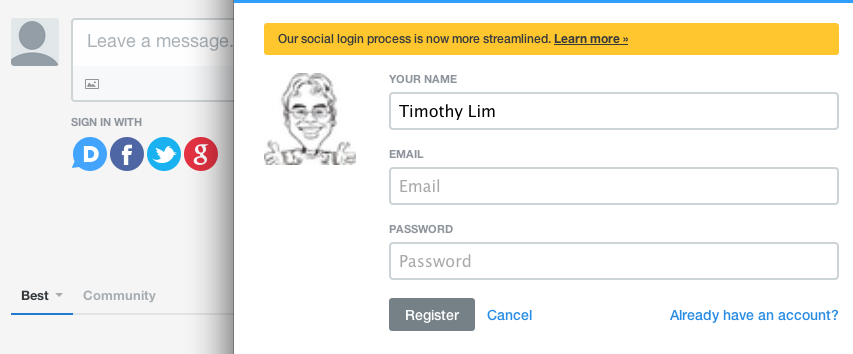
So it’s been a long time since I’ve blogged and this is the first time I’m using the new snazzy WordPress posting process on the website which seems to have been Tumblr-ised

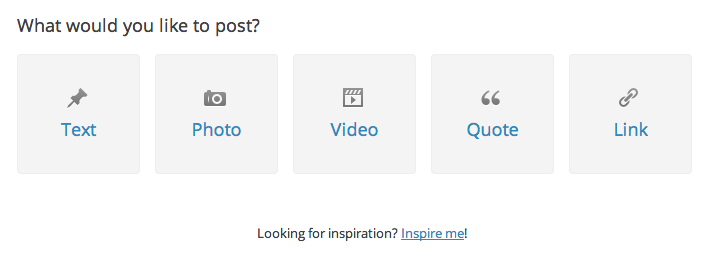
Tumblr’s posting pageImage

WordPress.com’s posting pageImage

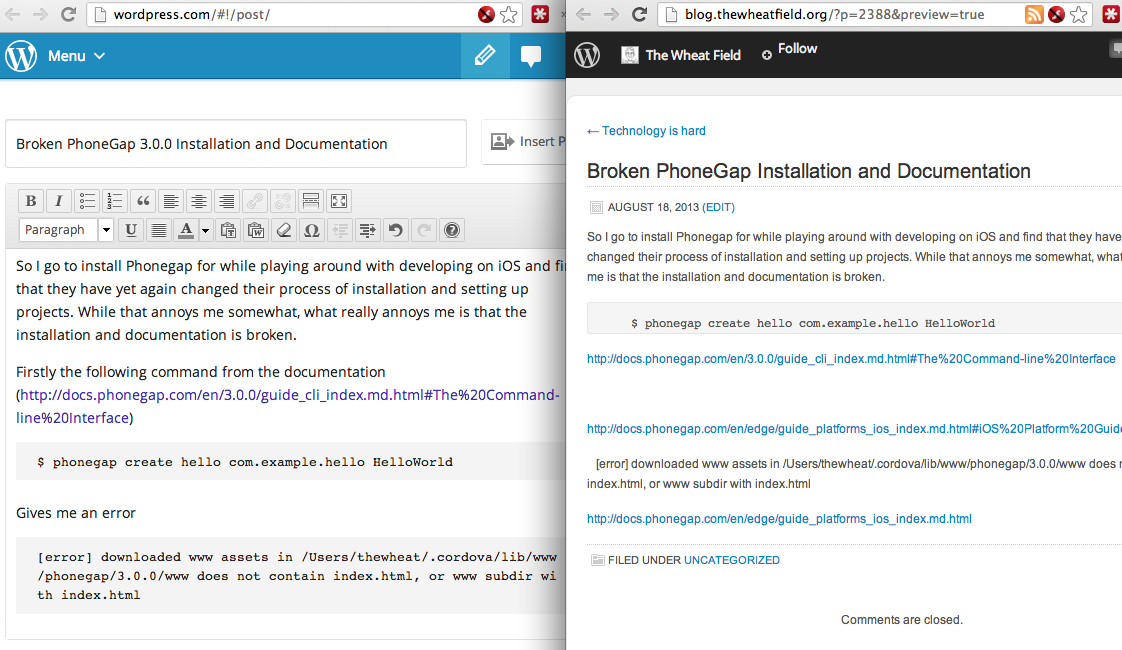
But aside from that I started composing a new post and did a preview which didn’t look right at all

Image

I first thought the preview was broken due to some weird HTML, so I looked for the “View source/HTML” option and I couldn’t find it!

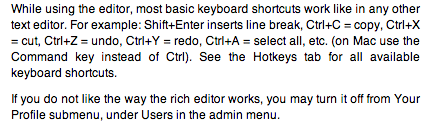
Clicked the help and it stated that I could turn it off in my “Your Profile” submenu.

Image

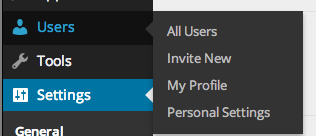
Guess what? I couldn’t find this “Your Profile” submenu

Image

Thought the logical place it would be is in “Personal Settings” or editing my profile but still not there. Clicking the edit link on the preview window brought me back to the new posting page with my full post, and clicking preview still did nothing. It was still loading an old version of the post.

Luckily I tried editing the post via the admin interface and was greeted with the editor I was familiar with and provided the functionality that I love.

Image

Image

This hits another annoyance that I have with so called “upgrades” that remove features. This things will hopefully get logged on #upgradeIsADowngrade

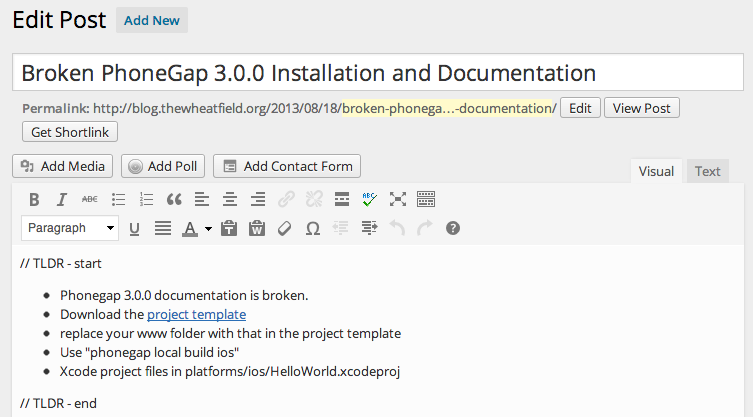
Broken PhoneGap 3.0.0 Installation and Documentation

// TLDR – start

  • Phonegap 3.0.0 documentation is broken.
  • Download the project template
  • replace your www folder with that in the project template
  • Use “phonegap local build ios”
  • Xcode project files in platforms/ios/HelloWorld.xcodeproj

// TLDR – end

So I go to install Phonegap for while playing around with developing on iOS and find that they have yet again changed their process of installation and setting up projects. While that annoys me somewhat, what really annoys me is that the installation and documentation is broken.

Firstly the following command from the documentation (http://docs.phonegap.com/en/3.0.0/guide_cli_index.md.html#The%20Command-line%20Interface)

$ phonegap create hello com.example.hello HelloWorld

Gives me an error

[error] downloaded www assets in /Users/thewheat/.cordova/lib/www/phonegap/3.0.0/www does not contain index.html, or www subdir with index.html

and it just created a few empty folders

$ ls hello/*
hello/merges:

hello/platforms:

hello/plugins:

hello/www:

Thinking it was just some weird error, I just continued on to the iOS documentation (http://docs.phonegap.com/en/edge/guide_platforms_ios_index.md.html#iOS%20Platform%20Guide_open_a_project_in_the_sdk)

$ cordova create hello com.example.hello "HelloWorld"
$ cd hello
$ cordova platform add ios
$ cordova prepare              # or "cordova build"

This still references “cordova” which was the name of the utility in the previous version before they renamed it to “phonegap”. I changed into the directory and ran the next command which gave the following error

$ cordova platform add ios
-bash: cordova: command not found

Changing it to “phonegap” doesn’t work either

$ phonegap platform add ios
[error] 'platform add ios' is not a phonegap command. See 'phonegap help'

But at least it gave some instruction on what to do. Following that I figured I has to run

$ phonegap local build ios

But alas, more errors

[phonegap] adding the iOS platform...
fs.js:413
 return binding.open(pathModule._makeLong(path), stringToFlags(flags), mode);
 ^
Error: ENOENT, no such file or directory '/Users/thewheat/Dropbox/projects/ios/hello/www/config.xml'
 at Object.fs.openSync (fs.js:413:18)
 at Object.fs.readFileSync (fs.js:270:15)
 at Object.config_parser (/usr/local/lib/node_modules/phonegap/node_modules/cordova/src/config_parser.js:24:45)
 at Object.platform (/usr/local/lib/node_modules/phonegap/node_modules/cordova/src/platform.js:64:15)
 at LocalBuildCommand.module.exports.addPlatform (/usr/local/lib/node_modules/phonegap/lib/phonegap/local.build.js:153:13)
 at LocalBuildCommand.execute (/usr/local/lib/node_modules/phonegap/lib/phonegap/local.build.js:95:32)
 at LocalBuildCommand.run (/usr/local/lib/node_modules/phonegap/lib/phonegap/local.build.js:70:10)
 at Object.build (/usr/local/lib/node_modules/phonegap/lib/phonegap/util/command.js:28:25)
 at CLI.module.exports (/usr/local/lib/node_modules/phonegap/lib/cli/local.build.js:34:20)
 at CLI.module.exports [as argv] (/usr/local/lib/node_modules/phonegap/lib/cli/argv.js:66:17)

I figured, that I had to manually download the template project structure  (https://codeload.github.com/phonegap/phonegap-app-hello-world/tar.gz/3.0.0), extract it, and replace my project’s “www” folder with that in the template.

$ rm -rf www
$ cp -r ~/Downloads/phonegap-app-hello-world-3.0.0/www .

And now finally it compiles!

$ phonegap local build ios
[phonegap] adding the iOS platform...
[phonegap] compiling iOS...
[phonegap] successfully compiled iOS app

And to open it up in Xcode and finally run the app

$ open platforms/ios/HelloWorld.xcodeproj

Perhaps the node install was corrupted due to something on my computer? But broken documentation such as this really annoys me: a person trying to learn a new tool / library wants to test and play around with it, not debug broken installation guidelines.

(On a sidenote: at least there are some guidelines, there are projects that I’ve seen that don’t give a ‘quick start’ example and assumes you know how to use the tool, which is another peeve of mine)
Technology is hard

So Hootsuite seems to be acting up on me. I thought I’ve been sending status updates and all but apparently Hootsuite got messed up and things were not getting posted. I first noticed it on Facebook. Easy enough I thought, so I removed Facebook from the Android app and tried adding it back. Sounds simple… until you get a "Failed adding Account" message. Strangely it still shows up in the Hootsuite interface but I still couldn’t post to it.

Then I find that Twitter seems to have also stopped working on the Android app but works in the desktop browser. Since Facebook posting didn’t work on mobile either, I logged out of the Hootsuite Android app, deleted Facebook from Hootsuite via the browser and tested Hootsuite in the browser. It all worked. Out of the woods I though. Until I tried it on the Android app. It still fails to post on both Twitter and Facebook

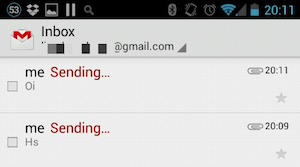
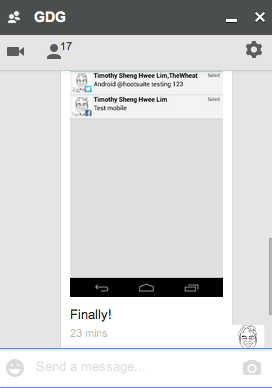
To top things off, I tried to send that screenshot to my laptop in order to share it on the Hootsuite that works in my browser but not on the phone. Then I run into Gmail not sending the emails

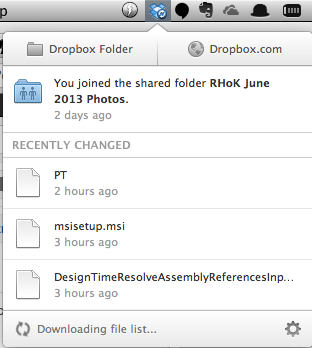
Fine sure.. I’ll Dropbox it to myself! Uploaded fine from the phone and now the laptop Dropbox client is still stuck "Downloading file list…"

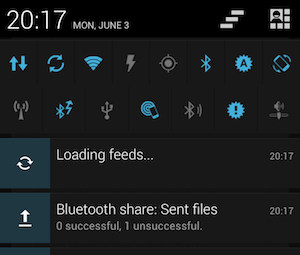
I even tried Bluetooth file transfer to no avail!

Finally Google did come through though… via Hangouts

Man that took way too much effort just so that I could tweet and Facebook post my dissatisfaction about Hootsuite which led to a weird technology failing experience that ends this Monday.

Well here’s hoping to a better week ahead of technology that works!

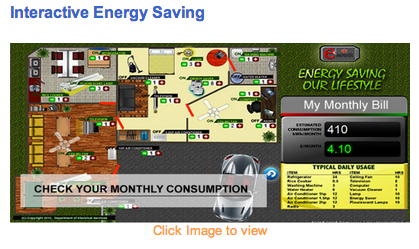
DES Interactive Energy Saver

Interactive Energy Saver

http://www.des.gov.bn/bdes/images/electric_usage.swf
(Note: requires Flash thus wont’ work on iOS and later Android devices)

Saw this on DES website as I was getting links for my previous post and thought it would be nice to share. It is nice that they are providing interactivity, however it needs to be more accessible and there should be an HTML 5 / Javascript / Canvas solution to this especially with Flash being gone on mobile devices.

Perhaps @mfirdaus will bring the HTML5 solution to reality (P.S. he’s also available at mfirdaus.net).

HSBC Brunei has been good to me

Brunei HSBC SMS

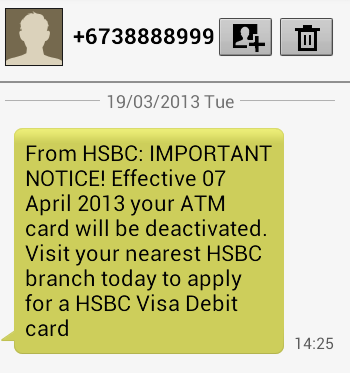
In contrast to my Standard Chartered Brunei experience, HSBC has been pretty good. I received an SMS informing that my ATM card would be deactivated and that I would have to visit my nearest HSBC branch to apply for a Visa Debit Card. Sounds straight forward for anybody in Brunei but sadly I am not in Brunei and thus I decided to give them a call. After some verification questions, they arranged to send my card to the closest HSBC branch in Melbourne. A stark contrast to the SCB experience.

While it was all good and I managed to get my card, I have yet to receive my PIN number and thus I called HSBC today and hopefully that’s sorted it out. I did get more verification questions which I feel could be improved on. Two of the several verification questions asked were

  1. Who is your employer?

    Now, I can easily tell them my current employer but I honestly don’t remember who was my employer when I answered this verification question. The question wasn’t who was my first employer, just who is my employer. This vague question is dependent on when I first answered this question, or whenever I updated the question. I asked the lady when could I have answered this question so that I could trace back which employer I was with at the time but she couldn’t specify more information and that I had to give a single answer, so I just randomly gave an answer.

  2. What is the branch that you opened your account at?

    While this is much less vague that the previous question, it still depends on whether I remember the answer. I know I’ve done some banking in the Gadong branch and Bandar branch. I’ve probably opened at least one account at each branch and perhaps I just have a bad memory but I don’t think this question is a good verification question (at least not for me)

But all in all, HSBC has been good and managed to give me service while I’m overseas so kudos to them! Now I wonder how other Brunei banks deal with overseas customers.

Offline Webapps with HTML5 – slides from GDG Brunei DevFest W

GDG Brunei DevFestW - Offline Webapps with HTML5.png

2 weeks ago I had the opportunity to present a 15 minute technical talk to the GDG Brunei DevFest W organised by GDG Women Brunei.

I pre-recorded a video just in case that the Internet was not cooperative but thankfully the Internet was good.

Slides:

Demos:

Source code:

GDG Brunei

Standard Chartered Bank has not been good to me

Over the past few years Standard Chartered has left me with a very bad taste in my mouth and I’m not even directly a customer of theirs…

Here are their ‘crimes’ that they have committed against me

  1. Sent me unsolicited SMS messages
  2. Not giving me direct answers regarding a loan
  3. Not following up on a loan prepayment
  4. Not processing a loan prepayment request (~3 months and counting)
  5. Hanging up while trying to get a temporary Internet banking password over the phone

Sent me unsolicited SMS messages

Every so often I get an SMS from Standard Chartered with them offering some of their new service or their next big event. Not even having a bank account with them, I find this intrusive and unwanted. Contacted them vai the “Contact Us” link on the Brunei Standard Charted website. Let’s see what becomes of it.

Not giving me direct answers regarding a loan

Wife has a loan and she was overseas, so I tried to get some information about prepayment and some extra details. They said they couldn’t give it out the details of the loan payment scheduled or even how the amounts were calculated. Took several visits to finally get a print out of it payment schedule from which I had to manually figure out how they did the calculations in order to gauge different prepayment options.

Not following up on a loan prepayment

After doing the calculations, we asked regarding a loan prepayment and never got a response back. While I may never know the real answer, the skeptic in me thinks of a straight forward answer that they are told to delay things like this so they can make more money out of us.

Not processing a loan prepayment request (~3 months and counting)

Back in December, finally sent a prepayment request which is still pending approval. What kind of approval is needed? Followed up with the loan office and was told that ‘it was sent for approval’. Comes back to the notion of delays to get more money out of us.

Hanging up while trying to get a temporary Internet banking password over the phone

While it is not a person physically doing the hanging up, after making the appropriate selection on the automated phone system, it rings once or twice and then just hangs up. Who are we supposed to contact, if the number provided doesn’t even enable us to get in contact with a live person.

Does it matter?

Perhaps its been one of those weeks that are physically short but mentally long and draining, but Standard Chartered has not been good to me and somebody needs to know.

Is this a rant? Probably.

Are the scenarios made up? I wish they were.

Is Standard Charted a good bank? Not in my experience thus far.

What do I hope to achieve with this? Some venting. Also a weird wish that Standard Charted will in get contact with me to sort it all out, but more importantly, to improve their service. But whatever happens, for the time being I’ll have to live with the annoyances of SCB in my life. Here’s to hoping it doesn’t have to be a long term thing.


Update: Seems that we have go actually physically visit Standard Chartered in order to get it sorted out. Not exactly an easy option to just fly in to sort it out, but I guess there isn’t really much of an option….

Standard Charted Email