Corner Geeks Episode 4 is live and this week we’re talking about New Media and give an introduction to Live Streaming. In the future we will cover Live Streaming in more details including the setup we used for live steaming the Ran8adidas event at ICC at the end of June.
Search for gstreamer lame plugin: "apt-cache search gstream lame"
Installer the gstreamer lame plugin: "apt-get install gstreamer0.10-plugins-ugly-multiverse" (this may change, just the search results from the previous steps)
Start the Icecast server with the following command (this combines starting a Icecast server and sending audio via a source client all in one command
"gst-launch pulsesrc ! audioconvert ! lame quality=9 ! shout2send mount=/listen.mp3 port=8000 password=YourPass ip=ServerIP"
You can change the mount, port, password, ip values depending on your setup.
The Icecast server is now up and running (assuming there are no errors / typos) and this will stream any audio playing from the device.
The Acer Iconia Tab A500 is the first Honeycomb tablet I’ve seen here in Brunei and is the first proper 10″ Android tablet. As with most Android tablets the specs are somewhat typical: 10″ (1280×800) with dual cameras running on the nVidia Tegra2. @mfirdaus and I managed to play around with the device for over an hour and below is the video overview we took of it. Below the video are further thoughts of the device and sample photos and videos from the device itself.
Full specifications (from Concepts and Acer specification pages)
Preloaded games (NFS Shift, Let’s Golf, Hero of Sparta)
Weight & Size
I have always thought 10″ tablets were a bit bigger than an iPad but in fact they are similar sizes: The A500 is longer and thicker but narrower than an iPad 2 (A500: 26cm x 17.7cm x 1.33cm, iPad2: 24.1cm x 18.6cm x 0.88cm). However the A500 is relatively heavy at 765g (iPad 2 is 601g), thus if you’re holding on the device it can get tiring.
Screen
The 10″ screen was responsive and we didn’t feel at real / noticeable / annoying lag or unresponsiveness. At a resolution of 1280×800, that is the same resolution as a lot of 13″ or 14″ laptops and is of higher resolution compared to an iPad: this means when browsing you should see more content. Speaking of browsing, with the great browser which has tabs and the ability to install Flash, this would make a great web browsing device.
Honeycomb and Apps
Refer to the previous post on A First Taste of Honeycomb (Android 3.0): in short there are not many apps optimized for Honeycomb and the large screen, but regular apps can still run.
Connectivity
The killer hardware features are the microSD card slot, full sized USB port and micro HDMI.
The microSD card slot enables you to add storage without buying a new device. If you’re on a budget, just buy the lowest capacity device and add microSD cards for your media (do note that microSD cards could be slower than internal storage on device, but is probably cheaper and can be transferred to other devices in the future).
The full sized USB port means you can connect a regular USB keyboard to the device and start typing straight away if you really need to type out of an email / do word processing. This will easily make the A500 into a productivity device with the proper applications. The USB port also means that you can copy files to and from a regular thumb drive like a regular computer which is a great feature. I’ve heard that USB card readers do not work, but I have no confirmation on this.
The micro HDMI port means you can connect the device to a projector / HDTV with display mirroring (display on both device and projector/TV). While this is a great option, I still think an iPad 2 trumps with the VGA dongle because VGA is still very widely used and HDMI is not. For people wishing to use the device for presentations, I would think an iPad 2 with the VGA dongle would be much easier to work with. I don’t believe there is an easy way to convert an HDMI signal to VGA without an external box, which means added cost and added items to bring.
Cameras
The front facing camera is a 2 megapixel while the rear camera is 5 megapixels (and also has a flash) however the picture and sound quality wasn’t stellar: samples below. Do note that the device was covered with clear plastic which would affect both the video and audio quality but I wouldn’t expect quality to be much better than what we got. Audio quality is pretty disappointing. Photos are stored in JPG format while videos in 3GP (H264/AAC).
Photos (jpg)
Rear: 5 megapixels (2592 × 1944)
Front: 2 megapixels (1600 × 1200)
Videos (3gp format with H264 video and AAC audio)
Rear: 720p (1280×720)
Front: VGA (640×480)
Battery Life
We could not take the device home to test the battery life of the device but below lists battery tests from other reviews but most reviews say you can easily get an full days worth without issue.
Price
At B$728, the 32GB A500 is priced cheaper than a 32GB iPad 2 (B$798), but do note that a 16GB iPad 2 is cheaper (B$668). IMHO Concepts should have brought in the 16GB version of the Iconia Tab to undercut all iPad 2 prices because with most Android tablets you can add expansion via microSD cards.
Summary
As a consumer device, this is a great device for web browsing, reading and watching movies. If you have TVs/monitors with HDMI input, this is a possible media center device with a purchase of a microHDMI to HDMI cable or a microHDMI to standard HDMI converter. As an office device, this is a viable option is you have HDMI monitors / projectors. The USB port option is great for using external keyboards and transferring of files. Overall Honeycomb is still maturing and is hard to convince people with an Android tablet unless there is a particular function that they need/want that is available on Android or a specific tablet as the iPad, with iOS, has the advantage of apps. Would I get one myself? I doubt so, as I’m looking more of a 7″ device with USB host, VGA out (highly unlikely thus maybe HDMI out) and possibly 3G to wirelessly tether via a wireless hotspot so I may even look out for the Iconia Tab A100 which is a 7″ version that is coming out in a couple of months.
We talk about Portal 2, one of the best games of this year and one of the games that has captured people’s hearts and minds (mine included) with the great voice acting, humour and songs that started with Portal 1. Great great songs written by Jonathan Coulton and sung by Ellen McLain
So last Friday I when I saw the Acer Iconia Tab A500 lying there in Concepts, I just had to get my grubby paws on it and experience Honeycomb first hand. I’ve read about it, seen a few videos of it, but there is nothing like playing with it in person. I had to say that I was pleasantly surprised and felt that I wanted to get a tablet. Take a look at the Honeycomb Overview video that mfirdaus and I manage to take of below:
Honeycomb is Google’s attempt to make a version of Android desgined for tablets and it gives Android a very different and fresh feel to it. It took me a while to get comfortable with it after getting kind of lost initially using the device (i.e. it’s not as simple/simplistic as iOS on the iPad). It has the typical Android homescreen which can be populated with applications shortcuts and widgets which all quick access to information right on the homescreen. With the Android 3.1 upgrade providing resizable widgets would allow users to fill a homescreen full of your emails, Twitter timeline and Facebook wall: it’s like your own Tweetdeck columns for all the stuff that is important to you.
Browser & Flash: A fuller web experience
The browser seems superb with tabs and looks like Chrome/Chromium (my browser of choice). The possibility of playing Flash is really great to me as it provides you a fuller web experience compared to Flash-less browsers where you may come to a page that just doesn’t have HTML5 video or some random Flash navigations. Do note I said the ‘possibility’ of playing Flash because it isn’t available in the Market. This is due to a geographic location restrictions where the developer does not select the app as available to all countries (more of this in a future post). You can always find the APK installer online, but that is always a dangerous option as there is a possibility that the APK is malware or has been modified to include malware on it. Thus it is important to download it from trusted sources.
Connectivity: USB Host & HDMI
The 3.1 update to Honeycomb is especially interesting as it provides better USB host support. This will provide Honeycomb tablets will a greater possibility to replace laptops because you can transfer documents to USB drives and hook up standard keyboard and mice to it. I can imagine going to work, docking your tablet and using it throughout the day for work and when you’re done, disconnect everything and head back home. Currently Android 3.0 on the Iconia Tab supports USB drives and keyboards and I presume that this will be the same for other tablets with USB ports. With most tablets having HDMI ports, they can even be used for presentations and at home on your HDTVs. The only problem I see here is that projectors will typically always have a VGA port, not an HDMI port so this could be limiting.
Apps
A lot of the success of a platform is in the apps and since Honeycomb is still new there aren’t many Honeycomb optimized apps that take full advantage of the bigger screen and the Honeycomb action bar. This should fade with time as developers start taking advantage of Honeycomb devices. Do note that the older non-Honeycomb optimized Android apps still can work with Honeycomb (however this is not a certainty) and when they do work they would probably stretch to fill in the space depending on how the interface was design.
Stability & Usability
I’ve heard that Honeycomb can be a bit unstable with applications, such as the browser, crashing; however I did not experience such crashes in over an hour of playing with the device. Honeycomb is still new and maturing as they work out the kinks and tweak Honeycomb to be a better experience for the user: I found that there was quite a bit of finger/hand travel just to activate and navigate around the system which I guess could get annoying and tiring after longer periods of use.
Other Notes
The low application storage problem seems to be gone in Honeycomb as the whole 32GB of the Acer Iconia Tab A500 that we played with, listed the entire 32GB as available for applications and files, as opposed Android devices that have only a certain much smaller space dedicated for app.Forgot to show it on the video / take a photo but this is a very welcome change and solves the biggest problem with Android for devices with internal memory.
Summary
All in all, I’m excited to see what Honeycomb matures into as it tries to be a competitor to iOS on the iPad. While I feel iOS on the iPad is a better experience for now, I feel Honeycomb will be better for the future. I just hope that it doesn’t always stay in the future and that the future and come quickly to fruition.
I’m pretty happy that @denogoh likes to cover Android but I was pretty sad to see that some of the arguments he made regards to the A500 where just wrong or could be misinformation. This article came out in the Brunei Times on Wednesday 18th May 2011. Below is a screenshot of the E-Paper version
the A500 has a proper-sized USB slot. The list of things you could do with this fabulous gadget include transferring files from pendrive or external harddisk, plug a dongle for Internet wherever you go in the world, very easily find a cable to connect to whatever you want to connect it to)
Just because there is a USB port doesn’t mean it will support any USB device: it needs the necessary drivers for the OS to communicate with the USB device. For instance, there is no mouse support yet (but is supposed to come soon with an over-the-air upgrade). It seems some people are working to get a 3G USB dongle to work with some success but it doesn’t look like something for a regular user.
not to mention it’s quite light (lighter than the iPad 2)
But it is not lighter than the iPad 2 which according to Apple specs is 1.33pounds (601g) for the Wi-Fi only model and 1.35 pounds (613g) for Wi-Fi+3G model. The Acer Iconia A500 is “0.4 pounds heavier than the iPad 2” according to Laptopmag.com while Gigaom reports the weight to be 1.69 pounds and Carrypad reports: 765g. All 3 different sources say that it is heavier.
The video capabilities of the tab is not something to boast about as well, but you do get 1080p later this year
While it does not support extra codecs, the standard H264 in MP4 format, AAC, MP3 should all work fine and they are the typical formats available: similar to the iPad 2. Otherwise software decoding could be used though players like RockPlayer Lite to play files that is not initially supported. Currently 720p output is available with 1080p output to come in the future.
Currently the A500 32GB version is going for B$728 at Concepts which is cheaper than a 32GB iPad at B$798 (however there is a 16GB iPad2 which is cheaper, currently it seems that the 16GB A500 is not brought in). @mfirdaus and I will try do a (possible live stream) video later doing an overview of Honeycomb and the device itself
I’ve covered why I chose the LG Optimus One and with that I’ve experienced first hand the biggest problem with Android. After a few months of usage as both a 3G data device and now as a phone I would like to give share a some what in-depth review / thoughts on the LG Optimus One.
Specifications
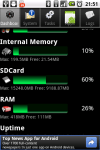
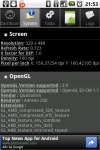
The specifications are not mind-blowing and I didn’t expect it to be stellar, but I have to say that it exceeded my expectations: mainly due to a processor with sufficient power and the ample amount of RAM. You can check your devices specifications using Android System Info
3.2″ HVGA screen (480×320)
600 MHz CPU with Adreno 200 GPU (same GPU as the Nexus One)
418MB RAM
Android 2.2 (Froyo) (supposed to be upgradable to Gingerbread this month, May 2011)
172MB of available phone storage
3 megapixel rear camera (no front camera)
Micro SD card underneath the rear cover (can be hot-swappable)
3.7V, 1500mAh 5.6Wh battery
Some notable things absent from the Optimus One
No camera flash
No front-facing camera
No auto brightness sensor
system info memory ram
system info cpu
system info screen gpu
Hardware
The screen is small at 3.2″ but it has a good HVGA resolution of 480×320 which allows good compatibility with applications and offers a better experience when surfing as it shows more content. The downside with a high resolution screen and small physical size, is that some text can appear small (e.g. name of application under their icon). It is a capacitive screen with the ability to detect a maximum of 2 points and does indeed have multi-touch (pinch-to-zoom works in applications that support it).
The screen is pretty responsive and the OS is smooth most of the times. I believe this is thanks to the combination of a capable enough CPU, optimizations in Android 2.2 as well as the ample amount of RAM. The biggest problem with this small screen is possibly the keyboard, especially in portrait QWERTY mode, where the keys are small making it hard for those with fat thumbs/fingers to type well. The lack of a trackball/trackpad makes editing mistakes harder due to Android’s primitive way to selecting text and moving the keyboard caret is only possibly by touching the screen. This is a current Android issue for all devices but devices with a trackball/trackpad can use that to easily move the caret accurately. However this is solved in Gingerbread (2.3) as seen here.
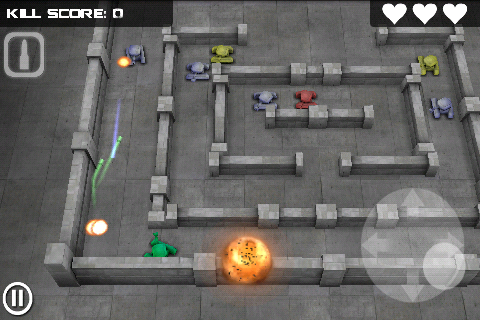
Now the CPU is not as fast as higher end phones but it generally sufficient for almost all applications. The limitations of the CPU are generally only seen when gaming: Angry Birds is playable and is generally smooth on simple levels. On more complicated levels where there is a lot of physics calculations, it’s CPU limit will be seen: it will generally take a while for the level to initialize and you can clearly see it as the movement is choppy or there is some slowdown. Games like Tank Hero are also playable thanks to the GPU but there is a lag when the first shot is fired: after that the gameplay is smooth.
Customized LG partsLG has customized the following parts of stock Android
LG Launcher
Keyboard: the LG keyboard has options to be QWERTY or T9 input in portrait mode
Notification drawer toggle butotns
Camera application
LG Launcher
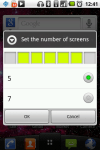
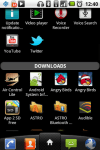
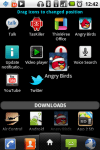
The launcher has a 5 home screens by default, but can be customized to 7. They have customized the look of the home screen a bit but it’s nothing too drastic. There is also a customized application drawer that separates applications into “Applications” and “Downloads” by default. “Applications” is a category for applications that come with the phone (and can’t be deleted) where as “Downloads” as the name
lgoo lg home set number of screens
lgoo lg home app drawer 1
lgoo lg home app drawer 2
lgoo lg home app drawer add category 1
lgoo lg home app drawer add category 2
lgoo lg home app drawer category move icon
lgoo lg home app category view
Keyboard
There is a custom LG keyboard which has 2 modes in portrait mode: phone keypad layout or keyboard layout. I find the portrait keyboard too cramped due to the small physical size of the screen and I like the phone keypad layout as it makes it easier to type with a single hand. The lack of a optical/physical scroll ball is helped with the left and right arrows in the phone keypad layout allow you to move the cursor accordingly, but it is only available in the phone keypad layout.
keyboard portrait keypad auto suggestion
keyboard portrait qwerty
When you rotate the device, a landscape keyboard will show (no matter which portrait keyboard mode is used) and it does take up a lot of space. It feel uncomfortable to use as the buttons seem too big and perhaps there is too much thumb travel.
At times, auto-suggestion slows the keyboard down and makes it lag behind your keypresses and can be annoying at times. Changing the keyboard doesn’t allow usage of the same dictionary so when I changed to the standard Android keyboard, auto-suggestion does not work the same. I’m not sure if this is an Android issue / keyboard issue / LG customization issue. I think the biggest problem could be the keyboard of this device, but could be changed to alternatives such as Swype, SwiftKey Keyboard,Better Keyboard and more to suit your specific needs.
Another keyboard issue has recently cropped up. When auto-suggestion is turned when in the phone keypad layout: When I press the “4” button to type “I” and press space for it to auto-complete “I”, it has started to insert a space instead, it seems to affect any single character words including punctuations. This get’s very annoying and I’ve tried deletion the dictionary and playing with the settings to no avail: perhaps a hard factory reset/full wipe is needed.
Notification Drawer Toggle Buttons
LG has implemented nice toggle controls on the top of the notification drawer allowing quick toggling of WiFi, Bluetooth, GPS, 3G and Phone Silent.
Camera Application
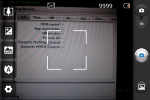
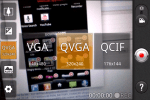
The camera application has been customized and the settings are exposed on the left side of the screen allowing easy access for tweaking. In the camera app, keeping the button depressed will activate the focus but sadly there is no touch to focus and in video mode, the focus is fixed. Video recorded is saved as a 3gp file and picture/video quality isn’t fantastic but gets the job done.
lg camera ui
lg camera half press focus
lg camcorder 3 resolution
Office Document Compatibility
The Optimus One comes with ThinkFree Office which supports Microsoft office documents: both old and new formats (doc, docx, ppt, pptx, xls, xlsx). The only issue that it does time some time to open a file. Some features that are supported are:
All apps: Document, Spreadsheet, Presentation
Insert images, photo, scribble
Font Size, Bold Italic, Superscript, Subscript, Colour
Text Alignment
Find in document
Add objects (pictures, hand drawn)
Spreadsheet
Worksheets
Formulas
Borders
Alignment
Cell Colour
Presentation
Create slides (with different template / layout)
Slide Colour
Slideshow
PDF viewing seems pretty good: it may take some time to load image heavy pages but it’s not really an issue. I tested with 300+ page documentation manuals and some 13MB+ comics and it was a good experience, with the only issue is the screen seems a bit physical small for reading things.
Browsing, YouTube, Videos
Browsing is generally good, the slower CPU may render pages slower than high end devices but it’s not much of an issue especially if you use Opera Mobile or Opera Mini. Sadly Flash is not supported due the device not meeting the minimum system requirements for Flash (to screen resolution too low & processor not fast enough).YouTube videos embedded on webpages can be seen on the page itself. Touch the embedded to watch the video in the YouTube application is good (it seems that this only works on some websites and I’m not sure what exactly allows this support on some pages). It can play YouTube videos in high quality smooth (the HQ button in the bottom right of the application is activated).
For videos it can play 640×360 MP4 video encoded in H264 with AAC audio (the typical Revision3 video format) smoothly without transcoding. FLV files (files from Youtube downloaded via the DownloadHelper extension in Firefox) can only be played using a 3rd party video player. I used Rockplayer to test playback and it only supports software decoding which results in smooth playback of only the lower resolutions as it relies on the CPU which won’t perform well for this. (400×166 resolution Tron trailer played fine encoded in flv video, mp3 audio played smoothly. 640×266 resolution trailer encoded in h264 video, aac audio in did not play back smoothly).
Battery Life
I can say the LG Optimus One has pretty good battery life if you only use WiFi as using 3G data really uses a lot of power. With 3G on and with account syncing enabled the phone will typically last from 7am-3pm but if you keep it on WiFi it can easily last the entire day. I’ve used the device for over 24 hours when only using Wi-Fi both at home and in the office. I did find a minor issue for power users: the device will not charge via USB from a computer when tethering 3G over WiFi or Bluetooth: it will instead just slowly discharge. However, if you use the supplied charger connected to a wall plug it will charge which is not ideal but at least it is possible to act as a MiFi as get charged (tethering used about 20% of battery per hour).
Other Issues / Problems
Main Issues:
Low application storage space
Sometimes the screen gets unresponsive and usually happens when the phone gets warm. Usually pressing the power button to switch the screen off, then on again resolves this problem
Sometimes the keyboard response lags behind pressing the buttons when it seems like it is trying to compute the auto-suggested words. This can get pretty annoying especially if you type fast. A work around for this is to disable XT9 or autocomplete meaning that you will have to spell all the words correctly. If you don’t you will have the pain for trying to edit words that you have previously typed. This is made harder with the lack of a trackball/trackpad to move the caret easily
Minor Issues:
No (optical) trackball: scrolling requires flicking on the screen
No notification light: this forces the user to switch on the device just to view if there are any notifications
Cannot charge via computer USB while tethering
Bluetooth tethering problem: the tethering would sometimes disconnect giving an error and I would not be able to enable 3G on the phone after that. Powering the phone off and back on resolved it but this stops me from being able to use Bluetooth tethering reliably
No Flash in the browser
No front-facing camera
No camera flash
Image/Video quality not that great
Summary
All in all, I think this is the best budget Android phone around at the moment. The HTC Wildfire S may be a good alternative offering the similar specifications but will have HTC customizations which some people are a fan of. However the Wildfire S is still not available in Brunei but will probably be more expensive. If the on-screen keyboard is a possible issue, the Samsung i5510 for B$369 seems like a good alternative, although it has a slightly smaller screen resolution.
So after a month after recording our first episode, here we go: Firdaus (@mfirdaus) and I talk about OS X with his recent purchase of his MacBook Air, and the discussion goes a bit technical/inside-baseball talking about keyboard shortcuts and we even ended up talking a bit about the iPad.
Do let us know what you think: feedback is highly appreciated =)
Tweet us: @thewheat / @mfirdaus
At times we all need a new gadget, be it out of a want or a necessity and so you search online to find the gadget that suits you and then try to find the best deal, however online prices may not be the best deal after all. Also some people may not even do research and using the ‘if it costs more, it usually is better’ rule as a yard stick for their decision. Below are 2 screenshots from 2 different online shops in Brunei: QQeStore and Incomm.
Below: Incomm showing the HTC Desire going for B$663 while the Desire S goes for B$654 ($9 cheaper)
Below: QQeStore displays that the Xperia Neo is B$798 while the Arc is B$788 ($10 cheaper)
Due to the price difference, it could bring somebody to believe that the HTC Desire is better than the Desire S and the Neo is better than the Arc. In actual fact it is the other way around: the Desire S is a new generation after the Desire and while the Arc is a flagship phone thus is a higher premium phone. This is why knowledge is important, buyers should educate themselves with any device that they wish to get so they don’t run into any gotcha moments after buying it.
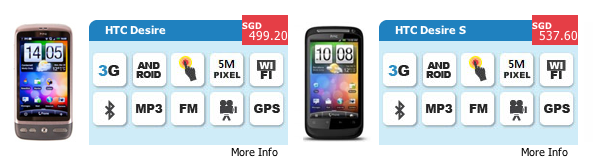
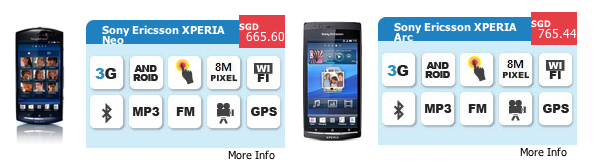
However, if you don’t have the time to check for all the details and reviews, doing an online price comparison with a store that keeps prices up to date (vs the typical Bruneian depreciation-does-not-exist price). Check the 4 local online stores: QQeStore, Shopping.com.bn, eMall and Incomm for price comparisons first then go on to check other online stores. One place I found recently for phones and tablets is SGBest.com. While I haven’t shopped with them, nor am I affiliated to them in any way, it seems like a good tool for price comparisons. The typical a-newer-and-better-device-has-a-higher-price mentality usually works in this case as shown in the screenshot below showing the phones used in the previous example, showing the Arc and Desire S being more expensive than the Neo and Desire respectively.
I hope this serves as a public service announcement or even just some link sharing of online stores for you to do your tech price comparisons for your future shopping endeavours. If you have any links to share, feel free to leave some in the comments, we will all thank you for helping us lighten our wallets and purses =)
P.S. there is always eBay Global (searches all eBay sites around the World, not just US) and DealExtreme (for lots of little gadgets and stuff – the closest thing to RadioShack I can get)













 The Wheat Field