Fixing BruDirect’s Grey Container of Emptiness

If you have a problem with BruDirect website showing a grey box instead of showing the content, read on for have several workarounds/fixes

The problem:
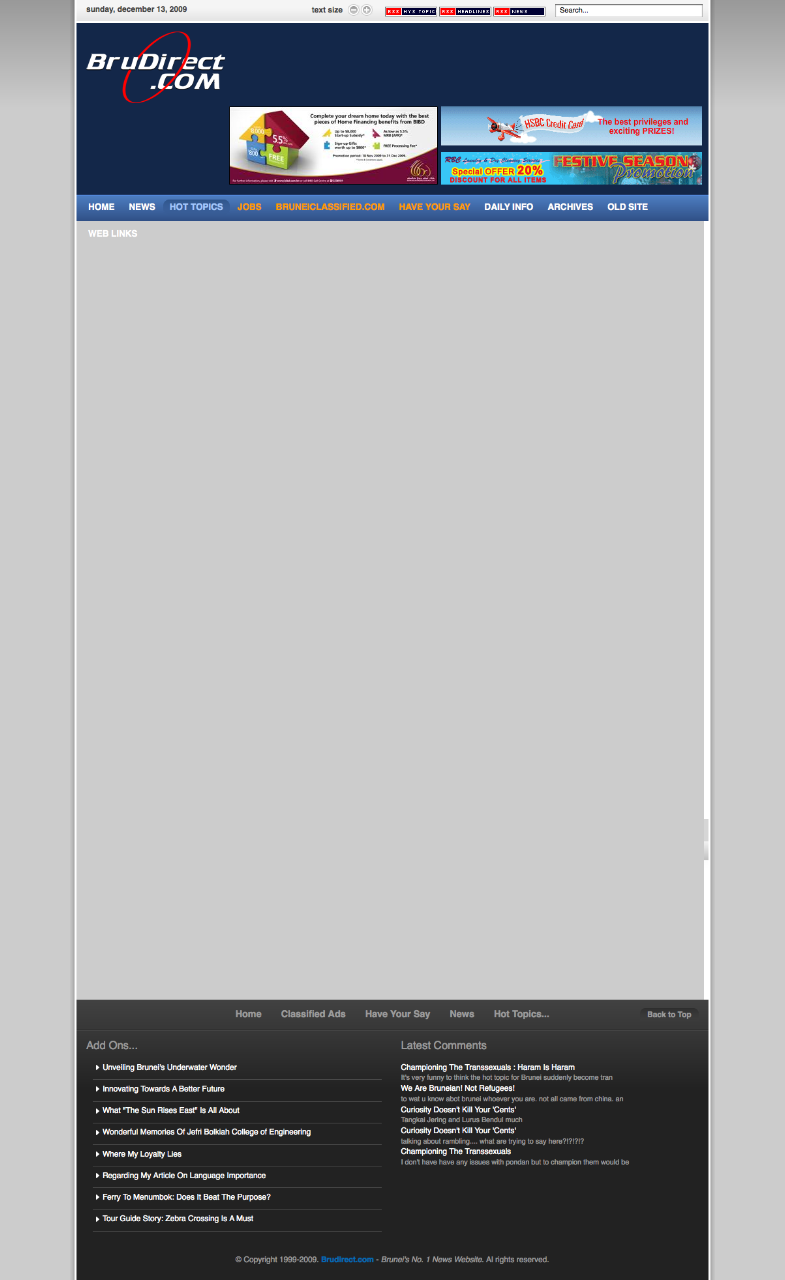
Grey box instead of content as shown in the screenshot below:

Workaround (temporary fix that needs to be repeated)

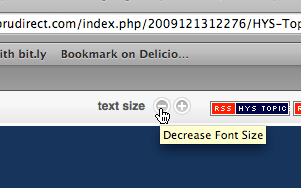
  • For any browser (though doesn’t seem to work in Opera): Click the small “Decrease Font Size” button at the top of the screen

  • For Opera:
  • Shift + G to disable styles

Fix (once configured will be fixed even if browser/computer is restarted)

  • For Firefox:
    • Add a userContent.css in your profile/chrome directory
      • OS X: ~/Library/Application Support/Firefox/Profiles/[random 8 characters].default/chrome/
      • Windows: %appdata%MozillaFirefoxProfiles[random 8 characters].defaultchrome
      • Linux: ~/.mozilla/firefox/[random 8 characters].default/chrome
    • Add the following code into the file
    • @-moz-document domain(brudirect.com) {
      a.link span {
      font-size: 11px;
      }
      }
    • Restart Firefox and the menu bar text should be smaller and fit on a single line
  • For Opera:
    • Create a “brudirect.css” file
    • Add the following code into the file
      a.link span {
      font-size: 11px;
      }
    • Right click the page > Edit Site Preferences > Display Tab > My Style Sheet
    • Select the “brudirect.css” file that was created
    • Refresh the page

Offline Installers

Have you ever started to download an application and after downloading it you realized that what you downloaded wasn’t the application but a downloader application. I’ve always disliked this as it requires an Internet connection and isn’t an installer that I can just pass around to friends. So this post is dedicated to getting those full installers.

Google Chrome: Download page
Basically add “?standalone=1” to the end of the URL of the download page that shows the Terms of Service

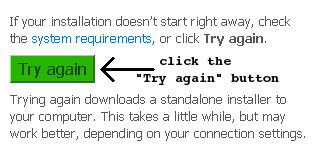
Live Essentials: Download page (On the download page, there is a column on the right with a “Try again” button. On pressing this button you will get the full download)

AVG: Download page

  1. On the initial download page, go to the bottom and where you can download the file direct from AVG servers.
  2. On the following page there is a link for the offline version (linked above) which is the complete installer

Skype: Direct Download | Download Page
Instead of the regular installer look for the business version that includes the MSI installer

Java runtime:
Click the “all Java downloads here” link on the Java download page

More Brunei Recycling Bins

More recycling bins spotted at University Brunei Darussalam (UBD). Recycling Bins in Brunei page updated. Spotted some at BEDB and Maktab Sains / Science College but alas no pictures yet.

Concepts Computers is not Recycling

So I finally managed to talk to Mr Vincent Pao, the General Manager of Concepts Computer regarding the recycling issue that I had, resulting in my “Concepts Computer Lying to Us?” post. In my talk with him about a few things but most important to me at the this time was the recycling issue. He stated that people from the recycling place came and picked up the equipment and that he did not have the contact number of the place or of the person in charge. He mentioned the place was at “Sungai Akar” which I believed to be the Sungai Akar rubbish dump. He said there is a little building/section where they recycle the equipment.

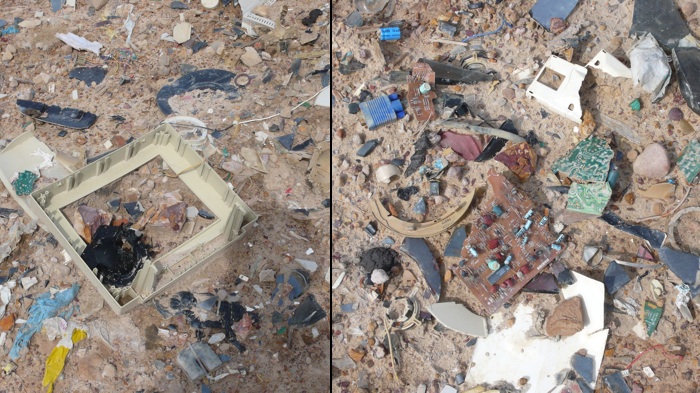
Today I went to the rubbish dump to try and find this recycling place that was supposed to be there. After some walking around and talking to the workers there, I was directed to “Ah Huat” who told me that they did pick up the equipment from Concepts but they are not recycling it. They are merely taking the equipment apart and dumping them in the dump. As shown below you can see the remains of some of the monitors and some PCB (printed circuit board) remains.

I admit, in my last post I was a bit harsh on Concepts, but after some thinking it could be a misunderstanding or miscommunication. It could have been that the person misled Mr Pao to think they were recycling or it could have been a misunderstanding on Mr Pao’s side. Whatever the story may be, I believe everybody should just know that at the end of the day the items being traded-in are not being recycled

Brunei Times

It seems that my Brunei Times E-Paper Lite Edition seems to be having issues that Brunei Times is blocking direct access to the images. The Brunei Times downloader still works however so in the meantime that should be used to download and view the images.

A fix will be worked on when I can find the time to fit it in. Life’s pretty busy at the moment =)

Why you should get a Netbook

Just let me say it….. I love Netbooks. Just the convenience factor, price point, battery life and decent performance combined make it a perfect 2nd computer for enthusiasts and a great tool for lower income groups to get started with computers. I believe schools could benefit a great deal from them too thats to the price point. I have always been one for mobile computing and that started off with the whole PDAs of yesteryear (Pocket PCs, Psions and Palms) that has morphed into smartphones of today (too bad I did not try the MessagePad/Newton though I did see it behind the glass display when I visited Labuan). Did you know that the Symbian OS (now Symbian) that is on almost all Nokia smartphones has it’s history in the Psion PDAs? But I digress. Now on to the reason why you should get a Netbook.

Convenience

When compared to regular laptops the sheer convenience is apparent. The first thing to note about a netbook is that it is compact and light. It lets you put it in your bag and not even notice that it is there. That may even be enough for some, who lug around their laptops that they have been using for a year or so and have dismal battery life thus being limited to places where you can use it as you are always looking for a power point to plug in and charge. This brings me to the second great thing about netbooks: the outstanding battery life. The Toshiba NB200 can run for over 9 usable hours! Heck I bet the average netbook would beat out the average laptop on battery life.

More Functional than a Phone

More functional in display size/resolution and due to it having a full operating system. A larger screen with larger resolution lets you surf webpages with ease and provides the full web experience together with Flash. You can also easily enjoy your movies or videos on the large screen without straining your eyes. A full operating system means you won’t be tied down to the limitations of a trimmed down phone operating system and typically with a keyboard you will certainly be able to get more work done more efficiently on a netbook compared to a phone.

Cheap

When I got my first laptop it was over B$3000. Now you can get relatively good laptops for B$1500 but netbooks differentiate themselves by being mostly being under B$1000 (starting from B$600). Within my group of friends that I know have laptops, they end up non-functional after the 3rd year (motherboard failure, graphics failure, mechanical failure i.e. falling apart, etc) which makes me wonder if it really is worth spending all that money just to see it disappear once the device stops working. Most netbooks will be even be cheaper than smartphones that won’t match up to work functionality of a netbook.

Conclusion

Netbooks are great for those mobile warriors that are limited by their phone offerings or the weight of the laptop that requires constant charging when on the go. Netbooks are great for students who need a mobile computer to do their school assignments. The sheer convenience of a netbook must e experienced. I miss my Acer Aspire One as I use my Macbook Pro now: the AA1 was so much more convenient but I had to switch to a proper laptop as the netbook could not keep up with my needs as a heavy power user when I work (for the typical work scenario of Microsoft Office usage and browsing the web it will be more than fine). For other aspects of my AA1 usage, it is still great. Now netbooks are not perfect and you should find out the things you need to know about netbooks before getting one. Also now the lines of netbooks and laptops and sublaptops are blurring with products like the Acer Timeline series that brings laptops to a better standing with good battery life and lighter weight and also with netbooks getting larger (11 and even 12 inch screen). At the end of the day: know what you need, know what the offerings can give you and make the best choice for your needs.

Application of the Day: Right Zoom

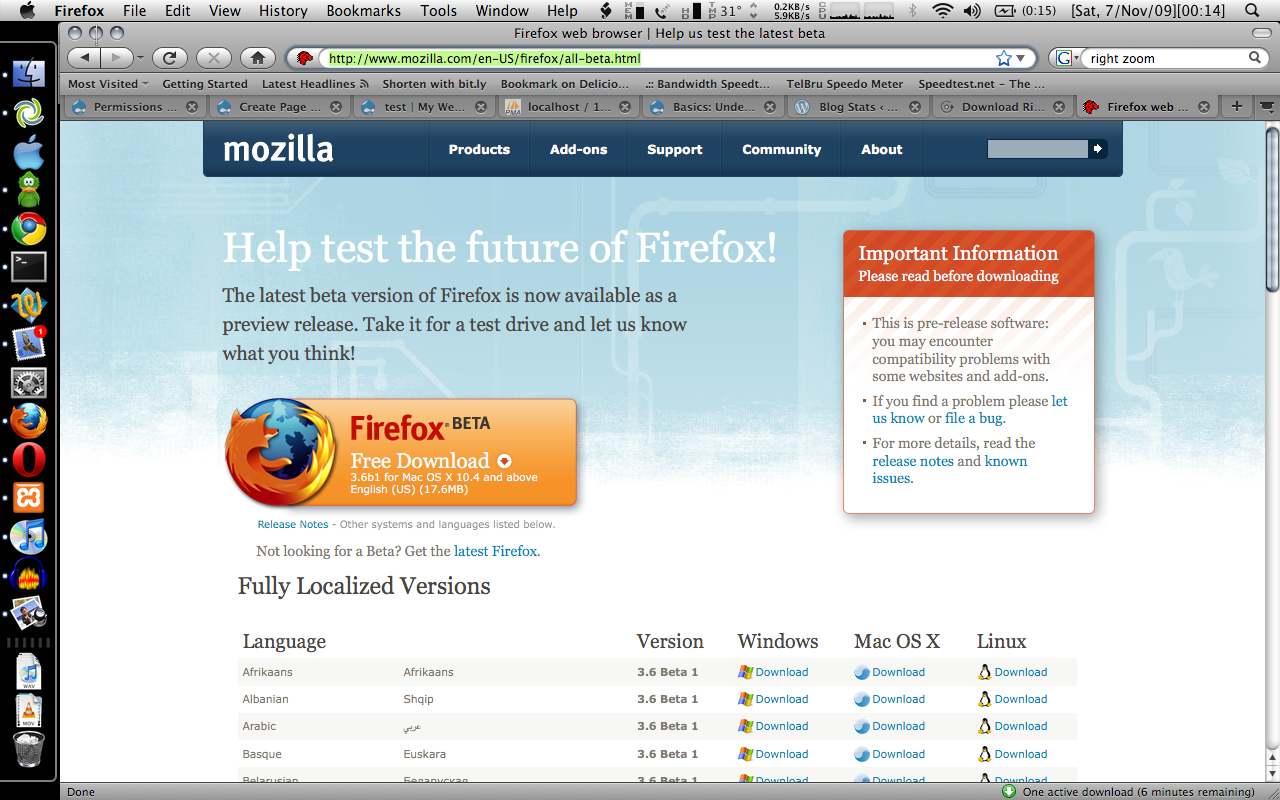
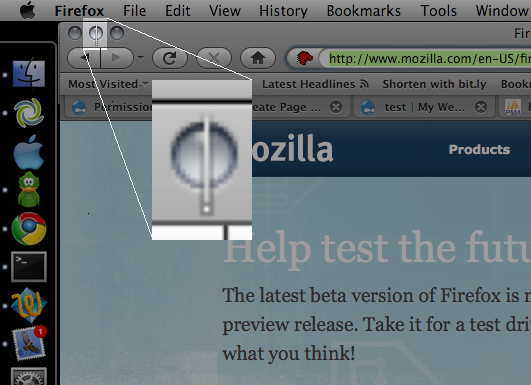
So I downloaded the new Firefox beta and for some reason I couldn’t find the Downloads window when I used the shortcut or selected it from the Window menu item. It took me a while and then I saw it. Look carefully at the image below and you will see the ‘hidden’ download window

wheres the firefoxs download window

See it yet? No? Well the answer is below:

theres the firefox hidden download window

Now how the heck do I resize something when I can’t even see the buttons nor the bottom right window resizer? I tried clicking/resizing on the window but to no avail. No shortcut is available for OS X to resize or maximize the window (one of my issues with OS X). Thankfully I found Right Zoom that enables me to maximize a window using a keyboard shortcut. Selected the window using Command + ` after Command + Tabbing onto the Firefox icon, pressed Command + Shift + E to maximize and there I found my download window back again! Phew..

Right Zoom was created to change the default behavior of the Zoom button in OS X to make it behave like Window’s and Linux’s Maximize button. It also lets uses assign a customizable keyboard shortcut to maximize the window. As I won’t have my Alt+Space, X as I have in Windows, this is the next best thing. Right Zoom runs in the background and is probably something you want to start automatically when you login (System Preferences > Accounts > Login Items).

Concepts Computer Lying to Us?

concepts misleading ad

After my post of Concepts Monitor Trade-In where I found out from the owner that they were intending to throw the monitors away, I was pretty happy to see the their ad in the paper that is seen on their handout brochure shown above. “SAVE THE EARTH WE LIVE IN” it says and shows a green bin with a recycling symbol on it. I thought it was great that they are recycling all the monitors and other devices they received from the trade-in offer so I wanted to find out which recycler they were sending the stuff to. So I went to both the Kiulap and Gadong branches to find out more and I was told (at the Gadong branch last Friday) that they were sending it to a recycler in Sungai Akar. However at the Kiulap branch, I was told outrightly today that they were just dumping them and throwing it away. I asked the sales assistant to confirm that they weren’t doing any recycling at all and that they were just throwing them away and she said without hesitation that they were throwing them away.

I was totally appalled! Is the brochure false and/or misleading advertising? I know it doesn’t say that they are recycling the products in black and white but from looking at the ad above how can you not say that they are pushing the message of recycling? Are they just trying to garner public support by supposedly ‘being green’? I personally like that Concepts is differentiating itself from other computer shops in Brunei by organizing seminars, events and promotions but this is severely damaging Concepts’ image in my mind and am personally thinking of even boycotting the company. Now what is the recourse to file a complaint with regards to this false advertising Brunei?

Update: Follow up post to confirm that Concepts is Not Recycling

Is Your Biometric/Card Reader Secure?

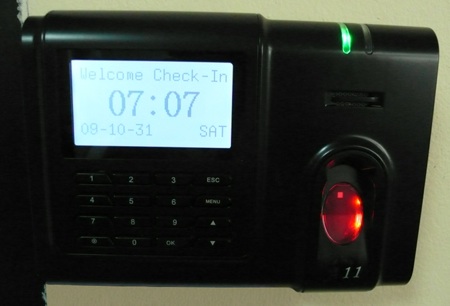
If you bought one of that looks like the picture below, I would say it’s not secure. I have a contact (RFID) card that works for a card reader shown below in a certain organization A. One day I saw the exact same model in a different and totally unrelated organization B. Out of curiosity I tried the card I had and was shocked to find out that it actually worked. So for organizations that are using these type of reader or any off the shelf reader/system do read on to understand how this security issue has arisen.

Biometric Reader / Card Reader:
biometric card reader

Biometric Reader / Card Display:
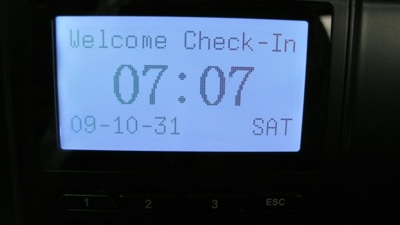
biometric card reader display

The readers have onboard memory to store information of the cards that it allows access to. It stores “Account No” and the name associated to that account number. The pack of RFID cards supplied with the reader (or bought at a later date) can be programmed with a specific Account Number. A central control software for the reader is used to upload new account numbers to each reader.

After some investigation the data field that was being check to grant or deny access was the “Account No” field. When I put my card on the reader in organization A it displays this Account Number and my name associated to it but when I tried it on organization B’s reader it just showed the Account Number without my name. Data is loaded into the readers via some control software that uploads the data into the reader’s memory storing account numbers and names associated to the account number: this explains the lack of my name in organization B’s reader. Technically this Account Number can be changed but it can only be numbers with a maximum of 5 digits and there can always be a possibility of collisions.

There is no quick fix or sure-fire solution to this security issue with the current implementation if the reader only uses the Account Number for authentication (I do not have access to the hardware to see if there are different and more secure authentication methods available). The reader firmware could be upgraded to recognize the serial number for each card (as each card manufactured should have a unique serial number) and this would prevent collisions and unauthorized access assuming cards have all unique serial numbers. If serial number storage is too memory consuming for the reader, alternatively another piece of information e.g. a passphrase could be used to have 2 factor authentication. The reader can store one copy of this passphrase and use the existing current “Account No” for authentication via 2 different pieces of information. This would make things much harder for collisions and unauthorized access to occur. This is certainly not fool-proof but it makes things much more difficult to gain unauthorized access.

So next time be wary of (cheap) off-the-shelf security solutions, it may not provide the full security you think you’re getting.

Note: The model that was affected was the ZKSoftware A11 however I would think anything that uses the ZKSoftware or has the similar display user interface would be affected.