IP and Me – Android App

Image

A simple network utility that:

  • lists all network interfaces and their IPs
  • is a small package (51KB apk file)
  • ad-free

Play Store link | Direct APK link

This spawned out of me noticing that many network capable Android apps ignore the Bluetooth or WiFi Direct Peer-to-Peer networks: they don’t seem to work despite it being a network with an IP (e.g. AirDroid). While this app doesn’t solve that problem, it does help me to know what IPs I have. Some may ask, why didn’t I just look through the Play Store, and while that is a valid question, it probably would take more time looking for an app that meets the 3 key points of IP and Me and also, is a good learning platform to start learning Android development in a more structured manner.

Is My Google Maps Broken?

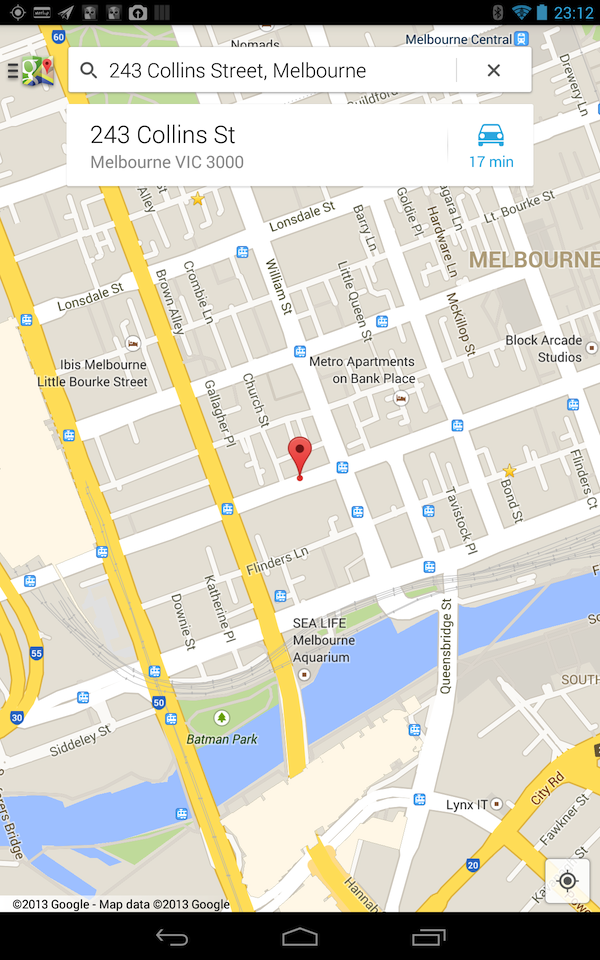
Phone, Laptop, Tablet: All clicked on the same ‘address’ link from Android Australia MeetUp page and the Nexus 4 location is incorrect (Nexus 4 and Nexus 7 opened the link from the Meetup app, while the laptop from the webpage)

Image

When opening the webpage link in Chrome for Android on both the Nexus 4 and Nexus 7, they both report the same incorrect place! So the Nexus 7 has changed marker positions…

Image

And now loading the link in the Meetup page on the Nexus 7 goes to the wrong location
Image

This is strange as a couple of months back, I had a similar situation shown below. The weird thing here is that both screenshots taken on Nexus 4s: just different ones (and obviously the one that didn’t work was mine!). Though taking a closer look shows that the non-distinct grey circle indicates the correct location. But why are the views so different? But whatever it is, all I know is that Google Maps has

Image

Android Still has Low Phone Storage Space Problem

A couple years back I though that Android had a big problem with Low Available Phone Storage Space for apps and after reading Ausdroid’s recent review of the Medion 4, it seems that this is still an on-going issue.

The device in question is the Medion 4 which is advertised with “4GB Memory” on Aldi’s site, but according to AusDroid, there is only 500MB allocated for apps (the rest of the space can still be used to store photos/files but not apps without some rooting and hacking).

Filesystem             Size   Used   Free   Blksize
/data                  503M   151M   351M   4096

My 16GB Nexus 4 has 12.9GB allocated to the /data partition which is a bit less than 13.6GB of a 16GB iPhone 4 (can’t seem to find a definitive answer for the iPhone 5) but is still a majority of its storage unlike the Medion 4. The Samsung Galaxy S4 has a separate issue which is not exactly the same but gives the same results to the end user: a false sense of storage space (only 8.8GB free from the 16GB model due to Samsung’s customization of Android with its own skin & apps). While it’s not as bad as the Microsoft’s Surface RT storage debacle (15GB free in a 32GB Surface RT, 28GB free in a 64GB Surface Pro. Source: Microsoft’s Surface Disk Page FAQ), both of these situations don’t give me much confidence when recommending non-Nexus Android devices with X GB of storage.

At least if it is just Android customization (ala Samsung), flashing a custom ROM should be able to solve the problem. I’m not sure if the partitioning (ala the Medion 4) can be solved using a custom ROM, but even if it does, you will need to find a ROM that supports your device: so you hope that your devices isn’t a weird obscure one.

So when you buy an Android device, you can’t say for certain that you have a majority of the advertised storage available for apps. I can only assume that Nexus devices would give you the best experience in terms of not being ‘cheated’ for storage space, but I guess this gives more credence to the fact that Google has lost control of Android and that some manufacturers are still giving Android a bad name.

What happened to the WordPress I used to know?

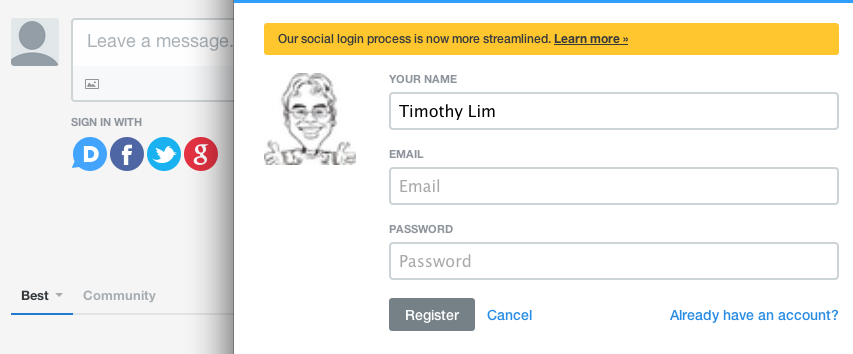
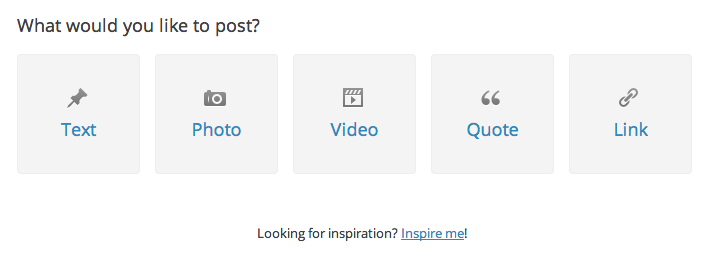
So it’s been a long time since I’ve blogged and this is the first time I’m using the new snazzy WordPress posting process on the website which seems to have been Tumblr-ised

Tumblr’s posting pageImage

WordPress.com’s posting pageImage

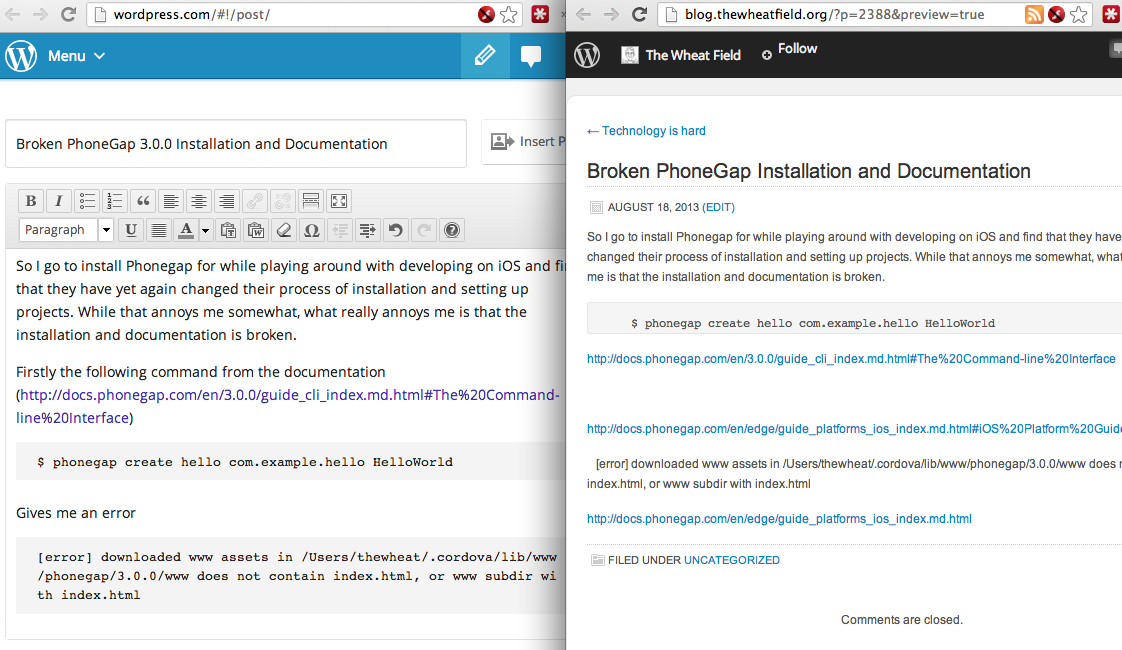
But aside from that I started composing a new post and did a preview which didn’t look right at all

Image

I first thought the preview was broken due to some weird HTML, so I looked for the “View source/HTML” option and I couldn’t find it!

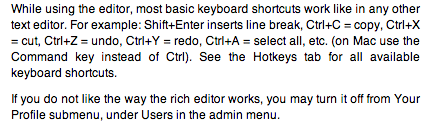
Clicked the help and it stated that I could turn it off in my “Your Profile” submenu.

Image

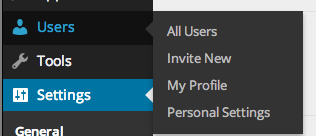
Guess what? I couldn’t find this “Your Profile” submenu

Image

Thought the logical place it would be is in “Personal Settings” or editing my profile but still not there. Clicking the edit link on the preview window brought me back to the new posting page with my full post, and clicking preview still did nothing. It was still loading an old version of the post.

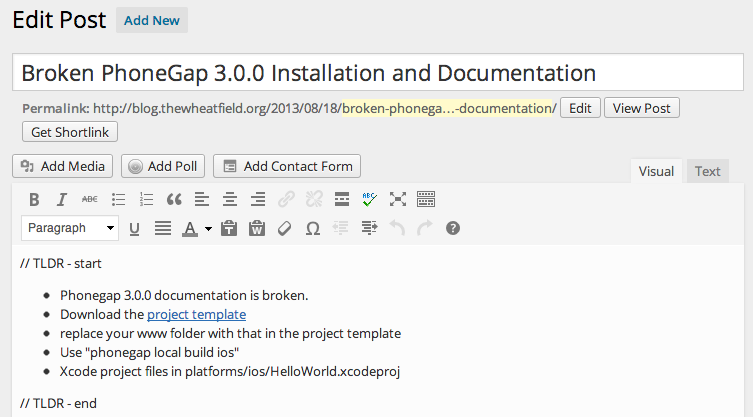
Luckily I tried editing the post via the admin interface and was greeted with the editor I was familiar with and provided the functionality that I love.

Image

Image

This hits another annoyance that I have with so called “upgrades” that remove features. This things will hopefully get logged on #upgradeIsADowngrade

Broken PhoneGap 3.0.0 Installation and Documentation

// TLDR – start

  • Phonegap 3.0.0 documentation is broken.
  • Download the project template
  • replace your www folder with that in the project template
  • Use “phonegap local build ios”
  • Xcode project files in platforms/ios/HelloWorld.xcodeproj

// TLDR – end

So I go to install Phonegap for while playing around with developing on iOS and find that they have yet again changed their process of installation and setting up projects. While that annoys me somewhat, what really annoys me is that the installation and documentation is broken.

Firstly the following command from the documentation (http://docs.phonegap.com/en/3.0.0/guide_cli_index.md.html#The%20Command-line%20Interface)

$ phonegap create hello com.example.hello HelloWorld

Gives me an error

[error] downloaded www assets in /Users/thewheat/.cordova/lib/www/phonegap/3.0.0/www does not contain index.html, or www subdir with index.html

and it just created a few empty folders

$ ls hello/*
hello/merges:

hello/platforms:

hello/plugins:

hello/www:

Thinking it was just some weird error, I just continued on to the iOS documentation (http://docs.phonegap.com/en/edge/guide_platforms_ios_index.md.html#iOS%20Platform%20Guide_open_a_project_in_the_sdk)

$ cordova create hello com.example.hello "HelloWorld"
$ cd hello
$ cordova platform add ios
$ cordova prepare              # or "cordova build"

This still references “cordova” which was the name of the utility in the previous version before they renamed it to “phonegap”. I changed into the directory and ran the next command which gave the following error

$ cordova platform add ios
-bash: cordova: command not found

Changing it to “phonegap” doesn’t work either

$ phonegap platform add ios
[error] 'platform add ios' is not a phonegap command. See 'phonegap help'

But at least it gave some instruction on what to do. Following that I figured I has to run

$ phonegap local build ios

But alas, more errors

[phonegap] adding the iOS platform...
fs.js:413
 return binding.open(pathModule._makeLong(path), stringToFlags(flags), mode);
 ^
Error: ENOENT, no such file or directory '/Users/thewheat/Dropbox/projects/ios/hello/www/config.xml'
 at Object.fs.openSync (fs.js:413:18)
 at Object.fs.readFileSync (fs.js:270:15)
 at Object.config_parser (/usr/local/lib/node_modules/phonegap/node_modules/cordova/src/config_parser.js:24:45)
 at Object.platform (/usr/local/lib/node_modules/phonegap/node_modules/cordova/src/platform.js:64:15)
 at LocalBuildCommand.module.exports.addPlatform (/usr/local/lib/node_modules/phonegap/lib/phonegap/local.build.js:153:13)
 at LocalBuildCommand.execute (/usr/local/lib/node_modules/phonegap/lib/phonegap/local.build.js:95:32)
 at LocalBuildCommand.run (/usr/local/lib/node_modules/phonegap/lib/phonegap/local.build.js:70:10)
 at Object.build (/usr/local/lib/node_modules/phonegap/lib/phonegap/util/command.js:28:25)
 at CLI.module.exports (/usr/local/lib/node_modules/phonegap/lib/cli/local.build.js:34:20)
 at CLI.module.exports [as argv] (/usr/local/lib/node_modules/phonegap/lib/cli/argv.js:66:17)

I figured, that I had to manually download the template project structure  (https://codeload.github.com/phonegap/phonegap-app-hello-world/tar.gz/3.0.0), extract it, and replace my project’s “www” folder with that in the template.

$ rm -rf www
$ cp -r ~/Downloads/phonegap-app-hello-world-3.0.0/www .

And now finally it compiles!

$ phonegap local build ios
[phonegap] adding the iOS platform...
[phonegap] compiling iOS...
[phonegap] successfully compiled iOS app

And to open it up in Xcode and finally run the app

$ open platforms/ios/HelloWorld.xcodeproj

Perhaps the node install was corrupted due to something on my computer? But broken documentation such as this really annoys me: a person trying to learn a new tool / library wants to test and play around with it, not debug broken installation guidelines.

(On a sidenote: at least there are some guidelines, there are projects that I’ve seen that don’t give a ‘quick start’ example and assumes you know how to use the tool, which is another peeve of mine)

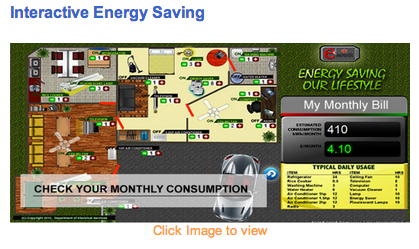
DES Interactive Energy Saver

Interactive Energy Saver

http://www.des.gov.bn/bdes/images/electric_usage.swf
(Note: requires Flash thus wont’ work on iOS and later Android devices)

Saw this on DES website as I was getting links for my previous post and thought it would be nice to share. It is nice that they are providing interactivity, however it needs to be more accessible and there should be an HTML 5 / Javascript / Canvas solution to this especially with Flash being gone on mobile devices.

Perhaps @mfirdaus will bring the HTML5 solution to reality (P.S. he’s also available at mfirdaus.net).

HSBC Brunei has been good to me

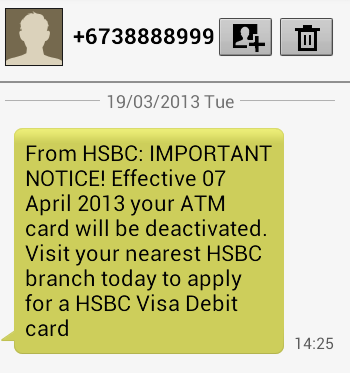
Brunei HSBC SMS

In contrast to my Standard Chartered Brunei experience, HSBC has been pretty good. I received an SMS informing that my ATM card would be deactivated and that I would have to visit my nearest HSBC branch to apply for a Visa Debit Card. Sounds straight forward for anybody in Brunei but sadly I am not in Brunei and thus I decided to give them a call. After some verification questions, they arranged to send my card to the closest HSBC branch in Melbourne. A stark contrast to the SCB experience.

While it was all good and I managed to get my card, I have yet to receive my PIN number and thus I called HSBC today and hopefully that’s sorted it out. I did get more verification questions which I feel could be improved on. Two of the several verification questions asked were

  1. Who is your employer?

    Now, I can easily tell them my current employer but I honestly don’t remember who was my employer when I answered this verification question. The question wasn’t who was my first employer, just who is my employer. This vague question is dependent on when I first answered this question, or whenever I updated the question. I asked the lady when could I have answered this question so that I could trace back which employer I was with at the time but she couldn’t specify more information and that I had to give a single answer, so I just randomly gave an answer.

  2. What is the branch that you opened your account at?

    While this is much less vague that the previous question, it still depends on whether I remember the answer. I know I’ve done some banking in the Gadong branch and Bandar branch. I’ve probably opened at least one account at each branch and perhaps I just have a bad memory but I don’t think this question is a good verification question (at least not for me)

But all in all, HSBC has been good and managed to give me service while I’m overseas so kudos to them! Now I wonder how other Brunei banks deal with overseas customers.