Brunei.fm

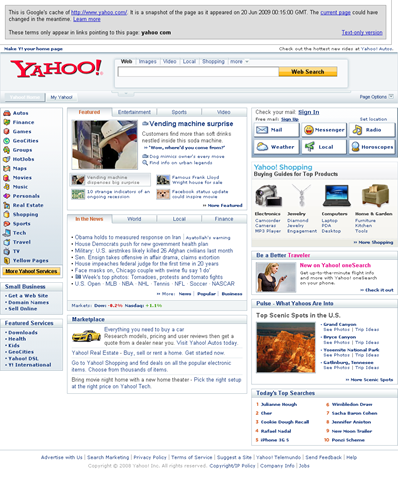
I stumbled upon Brunei.fm one day on Twitter and was wondering what exactly they were up to. My brother mentioned it looked a lot like Yahoo before the current design change. A portal service as seen from the wealth/clutter of links, it was hard to understand what they are trying to do.

Brunei.fm vs Yahoo Homepage:
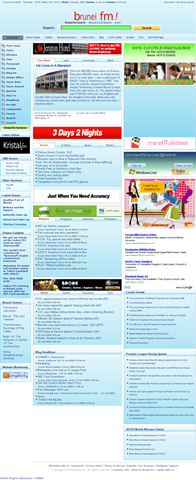
Brunei fm homepage screenshot Yahoo! homepage screenshot

I guess the one of the main attractions of the site would be the Brunei search engine of local content. A huge feat to try to compete against the behemoth that is Google. I tried searching for a few terms such as "ministry of health", "ministry of education", "ministry of finance" and "anti corruption bureau" and found that Google provided much better results especially with the "pages from Brunei (halaman dari Brunei)" option.

Brunei.fm Search Engine:

Brunei.fm Search Engine banner ad

Google’s Brunei content search:

image

Brunei.fm seems to be searching through a list of known Brunei websites which could be a good thing for Brunei websites with good content but not good Google Juice.

Brunei.fm has a ton of features and some interesting ones are

  • Brunei Community Directory: a list of communities/organizations in Brunei
  • Yellow Pages: the yellow pages with ability to add your own entry
  • Your News: user submitted content
  • News: regular news stories nicely categorized
  • Online office: have your operating system / desktop with all your files available to you anywhere with Internet access, with ability for word processing and personal information management features

Running on Joomla, WordPress (with Buddypress), eyeOS, Jamroom, osTube and possibly other solutions, Brunei.fm is making use of currently implemented technology to provide a wealth of features. The site as a whole is still pretty in an on-going process as I’ve seen many things that aren’t working either giving links to non-existent pages (404: Services > Contact Us) or non working features (Yellow Pages registration not working). Relying on different underlying technologies one hopes that they would unify the login process but alas this isn’t the case making Brunei.fm a portal of disjointed services, each requiring a login of its own. They need to try to implement OpenID authentication for each of the services.

But all in all Brunei.fm is an interesting portal to keep an eye on to see what else they are going to be up to.
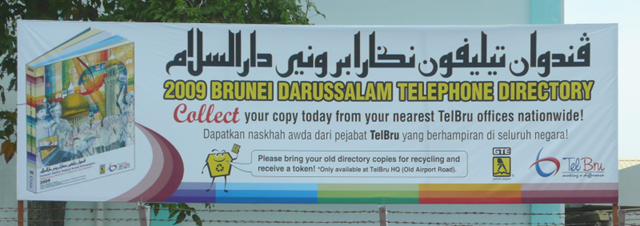
TelBru Telephone Directory pickup: FAIL

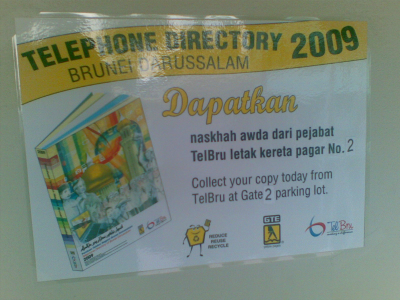
2009 Telephone Directory collection banner

When I was reading the papers last week I came across the announcement that the 2009 edition of the telephone directory was out so I went down to TelBru to pick it up only to be told that they were not available yet. So I went back thinking that they shouldn’t announced it in the papers if they weren’t ready to give it out. I don’t remember notice giving any starting date, so I would say it would be safe to assume that it was starting on that day. Oh well, so I thought I’d come back another day.

So today I tried to get the phone directory yet again and was happy to see the following sign on the wall at Telbru telling me to get them at Gate 2 parking lot.

Notice to collect Telephone Directory 2009

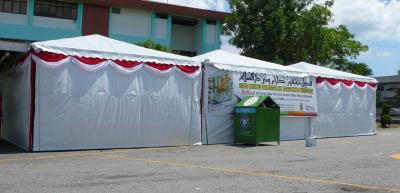
Now perhaps it’s just me, but I didn’t know where Gate 2 parking lot is. But since I parked my car in one of the parking lots and didn’t see any sign of the Telephone directories I thought I should head to the other parking lot. I was happy to see a couple of white tents and even happier to see a familiar Daikyo recycling bin (view the entire list of Brunei recycling bins).

White huts with a recyling bin

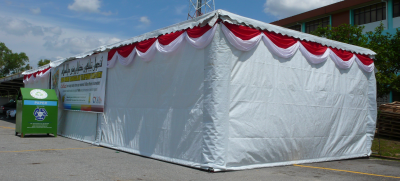
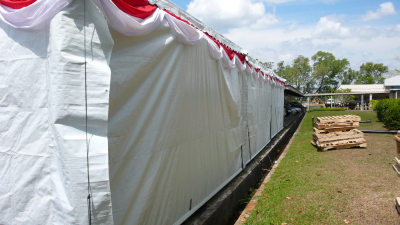
But did you notice something strange about the photo of the white huts? Nobody’s there! It’s not open. The entire thing is sealed shut! I tried to peer behind the canvas and I did notice a table and stacks of what it seems to be telephone directories in bundles wrapped in brown paper. However I could only get into the tent if I was willing to break and entering so I decided against it.

Sealed shut!:

No way in. White huts completely sealed up - front view 

No way in. White huts completely sealed up - rear view

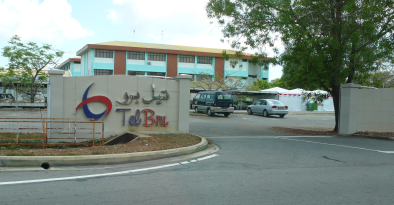
So dejected and foiled yet again to get my telephone directories, I left the place. Leaving through a gate labeled as “Gate 3” and swinging around the front I passed the white tents yet again, and was waiting to see the sign “Gate 2”. But there was no sign to be seen except for the big “TelBru” sign…

Is this Gate 2?:

Gate 2.. I think

Lessons to be learnt

  • If reference to the announcement in the newspaper: If you advertise, please state the availability date, don’t make your customers waste their time going there only to find out that they can’t get it
  • If reference to the notice to collect at Gate 2: customers may not be familiar with your premises, so a map or directions to get to the location would be highly beneficial
  • In reference to the gate with no number: if you give a location make sure it’s labeled clearly! The worse part is being the the right place and not knowing it
  • In reference to nobody being at the tents: If you’re closed for business please state it, same reasoning as the first point.
  • TelBru cares about recycling!

    Notice of a special

    I’m happy that TelBru is taking the initiative and giving people incentives to recycle. Good on them for helping us Bruneians play our part in helping to preserve this Earth. I’m glad to report that the recycling bin was practically full.

I know it may seem trivial to point out these things as in total it probably took up about an hour of my time, but I was pretty frustrated as it was my second time going there only to be disappointed both times and which no real explanation why I couldn’t get what I came for. But at least I hope this provides some constructive criticism to all and anybody who may face a similar situation.

Update: 3rd time’s a charm! And on the booth they had the operating hours as shown below. For accessibility reasons the operating hours are:

    Monday-Thursday: 0830-1200, 1315-1700
    Friday:0830-1145, 1400-1700

Operating Hours

Why was the operating hours only on the booth that was enclosed in the tent? It serves almost no purpose because if you can see it, the booth is open and you can pick up the telephone directories. But if you get there and the tent is all closed up you’re left with absolutely no information… Guys next time do put the operating hours on the tent itself! Saves confusion and annoyance of coming only to find it closed again…

Local Brunei Content

I’m always on the look out for what content Bruneians or people in Brunei are producing. From Adam Groves’ episodic The Jo & Jul Show to David Cheok’s Cinematography and the many photos of the many other Brunei bloggers.

Recently I discovered  Akinari Production (thanks to @oxba). Comedic performances with good music to set up the scenes. Nicely done. Below is one of their episodes/shows entitled “Don’t mess with Hafiz”. Enjoy!

I Love Kuala Belait

Raymond Crooke‘s song performance “I Love Kuala Belait”:

I saw this quite a long time back and I thought I posted it up but must have been the case of the tweets of Twitter (<shameless_plug>@TheWheat</shameless_plug>) that I tweeted and didn’t blog about. He was a part of a group called the Belaiters when he was here in Brunei and now it seems he’s trying to 1001 songs in 1001 days. Wow that’s commitment. The 1001 songs in 1001 days reminds me of Jonathan Coulton‘s Thing a Week project that led to his geek stardom and now he plays gigs across the US. And for all the JoCo fans out there don’t forget to get a copy of BEST. CONCERT. EVER. which was performed and recorded in front of a live audience in San Francisco, CA at The Great American Music Hall.

LCISOCreator – Copy Protection Error

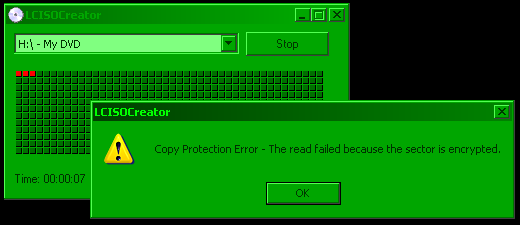
I do not condone piracy however I believe in being able to create backup copies of CD/DVDs I have purchased. So I was doing a straight ISO copy of a DVD the other day using LCISOCreator and got the following error message: “Copy Protection Error – The read failed because the sector is encrypted”.

image 

So I thought to myself, that in order to actually play the DVD, the data (in the sector) should be decrypted and then sent on to the DVD playing software in order to render on screen. So I tried this…. playing the DVD and leaving it at the root menu and start copying using LCISOCreator. And it worked! Sweet!

Mobile Internet (DST) in Ubuntu with a Nokia E51

I heard about Ubuntu’s 3G support quite a while back, but yesterday was the first time I actually tried it out. This was done using a Nokia E51 connected via USB with a DST Easi card with Ubuntu 9.04. Please note of the importable troubleshooting note below

  1. Connect the phone and set connectivity mode to “PC Suite”
  2. A configuration wizard should pop up as shown below:

    New Mobile Broadband Connection - Welcome screen 

    If the wizard does not show, start it manually by following these steps:

    1. Go to the Ubuntu Menu: System > Preferences > Network Connections
    2. Go to the “Mobile Broadband” tab and click the “Add” button
      Network Connections - Add a new Mobile Broadband Connection
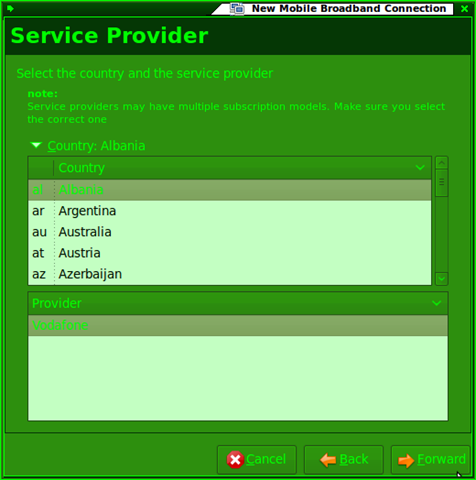
  3. Select the any setting as they will be manually edited later. For this example I chose Albania and Vodafone as the country and provider respectively as it has minimal configuration changes
    New Mobile Broadband Connection - Select Service Provider
  4. Give the connection a name: “dst.internet”
    New Mobile Broadband Connection - Name it / Summary
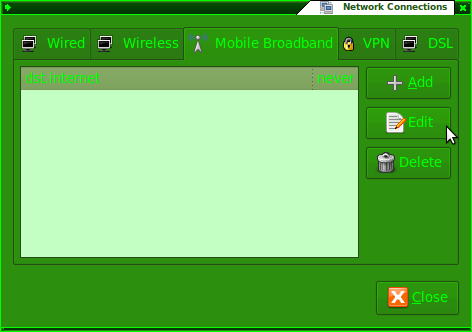
  5. Go to Network connections (System > Preferences > Network Connections) and edit the newly created connection
    Network Connections - Edit new connection
  6. Ensure the configuration is as follows:
    • Number: *99#
    • APN: dst.internet
    • Username and password can be left blank
    • If the Albania > Vodafone settings were used, only the APN needs to be changed

    Edit connection - Mobile Broadband Tab

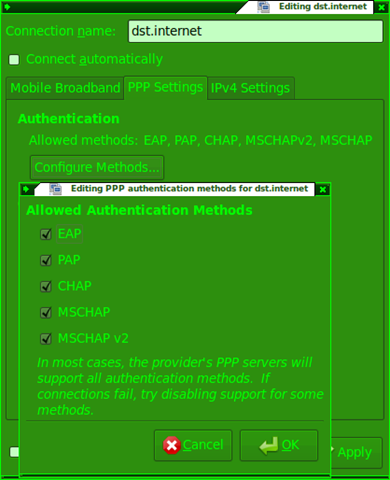
    Edit connection - PPP Settings Tab

    Edit connection - PPP Settings Tab - Configure Methods...

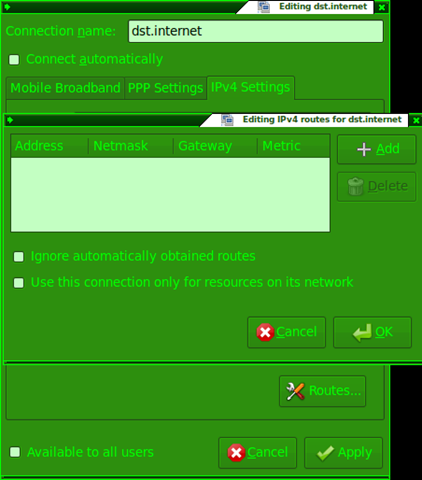
    Edit connection - IPv4 Settings Tab

    Edit connection - IPv4 Settings Tab - Routes 

  7. Left click the network manager applet and connect to the newly created “dst.internet” connection

    Connect to dst.internet via Network Manager applet

  8. Enjoy your mobile broadband =)
    Connection Information 

Now I wonder if this works for the DST Go! and bmobile Zoom! modems….

Troubleshooting Note

If you have a problem connecting please note this bug that causes the connection to timeout if there is a shell running as root. So close all terminals open. It took me 2 hours to figure this out so I hope you won’t have to suffer the same.