Of Mice and Men

No I’m not talking about John Steinbeck’s novella that my secondary school teacher made us read, but I’m talking about the quest for the mouse. I guess it all stared back in the days of my youth when I started playing Counter-Strike during my A-levels year. Being a student with little money I opted for an A4Tech USB laptop ball mouse for a cost of about $19. Optical mice didn’t really cut it back then and/or were too expensive for me. I remember the days of taking the ball out and cleaning the mouse. Oh how simple life was back then. I did hear of Razer back then when a friend of mine told me about his Razer Boomslang that he got overseas for $150+ I believe. $150+ AND overseas: that was just too far out there. And as my gaming progressed and I moved to NUS I thought of just playing a few games now and then with bots. But to my surprised I found people joining in my games and it was then I decided that I had to get a proper mouse. I went from Sim Lim Square to Funan DigitalLife Mall to SuntecCity and finally settled on a Logitech MX310 for $59 from TheSoftwareBoutique in Funan.
MX310 specifications:

  • 800 DPI
  • 5 buttons + scroll wheel (2 extra buttons: 1 on each side of the mouse where thumb and pinkie)
  • USB interface
  • Symmetric – thus can be used by both lefties and righties

I was happy with the mouse but little did I know that in my final year I would get see quite a bit of the Razer Diamondback in my future.
Diamondback specifications:

  • 1600 DPI
  • 7 buttons + scroll wheel (4 extra buttons: 2 on each side)
  • USB interface
  • Symmetric – thus can be used by both lefties and righties
  • Lower vertical profile compared to the MX310
  • Much lighter compared to the MX310

I got the original Diamondback as a birthday present from the guys. Thanks again guys! =D (I’m pretty sure it was more of Zhenyang’s idea though) It came bundled with the Razer eXactMat so it was a nice deal. While playing in a Counter-Strike Source competition ended up winning a Diamondback Plasma edition (nice blue glow with an invisible laser compared to the red glow of the visible LED). Winning was mostly due to our great leader Ultima of Xtreame ChaotiX. The Diamondbacks are nice and light but the 1600 DPI takes quite a bit of getting used to and with retail prices of over $60 they were not the kind of mice you would want to get for every desktop / laptop you use. And this leads me back to the quest for the mouse: a an affordable mouse with decent specifications that can be used by even gamers. And as I was strollilng Hua Ho Yayasan I found it.

Enter the Logitech Optical Mouse USB
Logitech's Optical Mouse USB full
Logitech's Optical Mouse USB front
Logitech's Optical Mouse USB tilt wheel
Not an eye catching name at all; heck it was pretty hard for me to find the exact name, I thought it was just a description of the product not the actual name!

  • 1000 DPI
  • Scroll with a tilt wheel (i.e. left and right tilts)
  • USB interface
  • Symmetric – thus can be used by both lefties and righties
  • Lighter than the diamond back with similar height profiles

The tilt wheel can be rocked left / right and these 2 buttons can be customized from zooming to scrolling to simulating a keypress (or even a combination of keypresses). Tested it with Battlefield 1942 and the performance of the mouse was flawless: perfect tracking without any skipping or the ‘why-am-I-facing-the-ground/sky’ problem when you move the mouse too quickly and the hardware just can’t keep up with it. And to top it all off the mouse cost $16.90. $16.90!! Yeah it’s more than those el-cheapo $10 mice but add the extra $6.90 and you will not regret getting this mouse: unless of course you need a small compact mice (or any other reason that this mouse won’t find your requirements) but for everything else I would recommend this mouse for everybody. Period.

The Logitech Optical Mouse USB: Functionality, simplicity all at a great cost (but not a great name)
— TheWheat

Powered by ScribeFire.
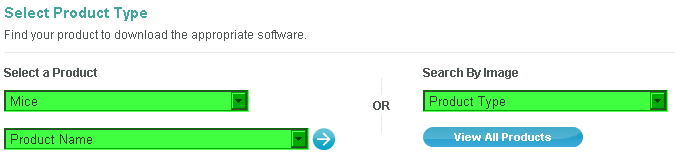
Noooooooo

Hello Timothy,

Thanks for your interest! We’re not able to ship to Brunei at the moment, unfortunately. However, we’re working on updating the list of countries to which we can ship, so hopefully we’ll be able to do this in the future.

Thanks,

Mike S.
Ask A Ninja Customer Service

www.askaninja.com

Powered by ScribeFire.

Consistency

Photos taken from a Shell petrol station near the Berakas roundabout:
sign top
So I went to fill the car up with some petrol and I was thinking to myself “okay, I’m going to get Premium Ron 97 (the one with the green handled pumps / green colour)” but when I saw that first sign, I was taken aback and was left wondering. Until I saw the following and was relieved to find out my brain isn’t deteriorating faster than I think it was/is.
sign ground
Why Consistency is Critical.

So the ‘correct’ colour petrol grades are as follows:

Green Premium Ron 97
Red Super Ron 92
Black Diesel

I think….

Powered by ScribeFire.

Livelink Errors

So I got the following these 2 errors with Livelink on Monday when trying to save a workflow

  • Upload Error: Upload of Workflow changes failed and was aborted due to a communications error. Your workflow is still unsaved. Sorry.
  • Input Stream Read Error: Failed Input Stream read from localhost because of exception access denied (java.util.PropertyPermission http.strictPostRedirect read)

livelinkErrors

Never had these errors before and after some investigation the problem was…. Firefox! Using Internet Explorer was fine. The strangest thing is that when I create a new workflow in Firefox and save it, there’s no issue, but when I open this particular workflow and make any sort of change it throws those errors (I could even open the workflow, make no changes and save it).

P.S. ScribeFire isn’t uploading images, go figure, so Windows Live Writer to the rescue. Live Writer is feature rich and with a sweet WYSIWYG editor but I rather not open another application just to blog. Simplicity FTW!

P.P.S. I found the problem with ScribeFire: use split-screen mode instead of opening in a new tab. I remembering having an issue with new tab opening and image upload not being there. It’s similar to this:

One thing though I had previously mentioned, the new “Upolad Via API”
option for the image uploader that was included in version 1.3.5 is not
available when the editor is opened in a tab.

Why didn’t they have this when I was still studying?

Ubuntu for Malaysian – sebuah blog tentang Ubuntu. I guess I would have learned Malay better though I doubt I would have used any of the terms I know in any karangan (composition).

Anyway bro in Japan (a play on the name TV in Japan which I heard from Tekzilla) got a nice post on “What do you want out of life?” which is indeed a question we should all ask ourselves to achieve true enlightenment nirvana happiness?