SMARTER eVCS Android app source

It is now available at: https://github.com/thewheat/SMARTER-eVCS-Android

The Android app is currently meant to be used in conjunction with the SMARTER eVCS webapp but hopefully I’ll get time to upgrade both the Android app the make it a standalone app.

Also once again, anybody interested in helping in this community development project, do get in contact or just get the code, make some changes and submit pull requests.

Happy Software Freedom Day! Have some code!

Today is Software Freedom Day and as a user of technology you should think about the programs that you use and understand the importance of the free software movement.

Depending on who you talk to, “free” it can mean different things but in terms of Software Freedom Day, “free software” refers to freedom and not price. Some of the core beliefs of both free software movement is that computers users should have the freedom to:

  1. use the software for any purpose
  2. study the software and modify it to suit their needs
  3. distribute copies, either gratis or for a fee, and
  4. distribute modified copies to help their community

Do watch the following video for Richard Stallman (RMS) explaining Software Freedom Day and has some great insight into GNU and GNU/Linux


I thought it was appropriate that I release the code for the SMARTER eVCS as an open source project dual licensed under the GPL V3 and MIT License. As I previously mentioned I hope that this will foster some community development and be a point for people to involve themselves in a community project of a different kind that I believe has yet to be done in Brunei.

The code is available at https://github.com/thewheat/SMARTER-eVCS-webapp

It requires CakePHP for now and was built on an older version of CakePHP and somethings on the todo list are as follows

  • Move to AJAX instead of full page load for the user front end (admin can stay as is for now)
  • Responsive/Mobile site design
  • Using HTML5 and possibly Javascript MP3 playback instead of relying on Flash
  • User login with each user having ability to manage multiple profiles
  • Possible remove the need for CakePHP all together to make it lighter

Next up will be the Android app source code release and also deploying the demo app online for people to play around and test. In the meantime, anybody willing to support, contribute or help can leave a comment / fork the code / spread the news. Any and all forms of participation is truly appreciated.

Giving Back to the Community

A couple of months back I started attending some meetups here in Melbourne and over a month ago I was able to attend my BarCampMelbourne (my first BarCamp!) and it was a great experience. What struck me most as I look back, is that there aren’t any kind of meetups like this back home in Brunei, at least to my knowledge. Events and meetups such as these rely on people giving back to the community and for regular meet-ups, to be consistent about it.

At one meetup, there was a company saying that they wanted to open source part of their product in order to give back to the community but it would take time for them to do so as it would take time for them to sort out their code and make it nice enough to publish: especially since it would represent the company. Sometimes they also have to separate out what code that they can release as open source, as some code may be libraries used which they may not have rights to distribute. I acknowledge that no company wants to put out bad code or give out something that isn’t theirs to give, but I also acknowledge that it is a point for procrastination: an excuse or crutch to fall back on and also possibly thinking that the code/work isn’t good enough. Or perhaps that is just me.

I pledged to code the SMARTER Android app over 1 and a half years ago and I did deploy a webapp for them to use to internally as well as an Android app what utilized the exported data from the webapp. After that I was caught up in finishing up my work before heading off to Australia and I guess I fell off the wagon in terms of developing that system further and keeping in contact with SMARTER as a whole. So by next week I hope to open source both the webapp and Android app and follow up with them, if there is anything further that can be done. I know the programs aren’t perfect, I know the code isn’t perfect, I know that there is room for improvement and I know that there is work to be done.

Over the next few weeks I’ll try document what I’ve done and also future goals that we hope to achieve. I used the word ‘we‘ as I hope to get other developers / contributors on board. I want this to be a base for contributing back to the community of Brunei and I am open to contributors / suggestions / feedback.

So You Want to Develop for Android – Google I/O Extended Brunei (2012)

An overview of Android development with a quick and easy way to get started in cross platform development (including Android) with PhoneGap, presented at Google I/O Extended Brunei. The presentation aims to provide attendees with basic understanding of Android development and providing them tools to create an actual application.


(this is a recorded presentation done after the actual event due to Internet connectivity issues during the event prevented an ideal recording environment)

Links

  1. Hackathon file list

    linked at http://tiny.cc/googleiobn complete with installation guide, tutorials, sample code and presentation slides used for the presentation

  2. PhoneGap Sample Code on GitHub

  3. “So You Want to Develop for Android” presentation slides

I prepared the materials assuming attendees would have no or very little Java programming background (which is needed for Android development) and thus a platform like PhoneGap was ideal as it provided an easy starting point into app development utilizing HTML and Javascript which are easier technologies to understand, and that more people would have exposure to. Based on the actual session, this assumption proved to be true and I believe was a good starting point and it has even spurred @mfirdaus to dabble with some Android development.

I highly encourage Brunei developers out there to contribute and give back to the community. During our time, there were no such developer events to my knowledge, and with social media, it is so much easier to get the word and out and just meet up and provide the young developers in the country with opportunities that we never had.

Footnote: Background

I was contacted by Cikgu Azaman (@azlinux) over a month ago regarding having a Google I/O Extended in Brunei. A hackathon was to be conducted and after throwing around a few ideas, I was put in charge of presenting an Android development session as in intro for the hackathon.

The event was held at iCentre on 27th June and while Internet connectivity didn’t allow a proper Google+ Hangout with a live video presentation (i.e. there was gagal-ness in trying to get things up and running) so we resorted to an audio Skype call while @mfirdaus went through the presentation slides at the Brunei side. So I thought it would be best to do a recorded presentation after the fact for a more complete presentation.

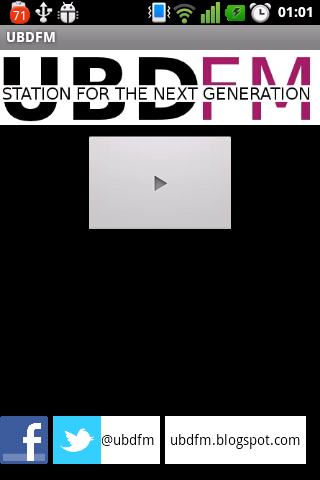
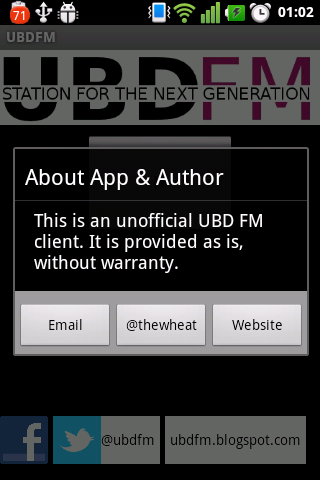
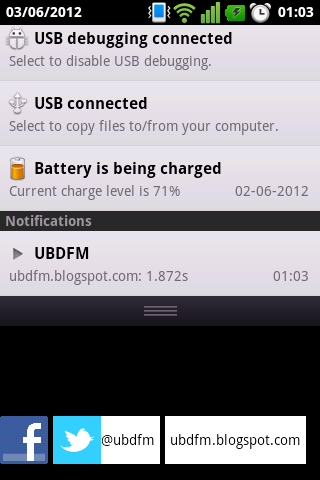
UBDFM Android App Version 1.5

Today sees the release of the unofficial UBDFM Android app that allows you to stream the online radio station right from your Android device (requires Android 2.2 and later).

Features:

Note: when listening via headphones, you will hear audio mostly from one side due to the stream from UBDFM not being balanced.

Hope you guys like it and do let me know if you have any feedback or feature requests!

iPad screenshot crashes iPad 2 (iOS 5.1)

Somehow I managed to crash my iPad 2 by trying to edit an image in the Photos app. This is a repeatable problem and I’ve tried restarting, closing all apps and it still happens. Check out the video below to see the problem in action

The offending image is below: try saving it on your iPad and try editing it in the Photos app to see if this happens on your iPad.  In current testing, it doesn’t seem to affect the new iPad (3rd gen), iPhone 4 or iPod Touch (4th gen).  I can still edit other photos or screenshots so this totally puzzles me and is completely reproducible. It this another one of those special Apple bugs just for me?

Android Google Maps Zoom Limit

A couple of months back, I noticed that the Google Maps app on my LG Optimus One phone couldn’t zoom in as far as it could before (unless my memory is failing me). Below is the maximum zoom level on the phone

This is not the maximum zoom of the Google Maps android application as my ZTE V9 tablet can zoom in much further as shown below

While you may think that this is a trivial matter, it really rises as a problem when I look for tram stops and street names here in Melbourne. Take a look at the CBD of Melbourne in the screenshot below and see how problematic this is: I can’t see the names of the smaller streets and I have to tap each tram stop in order to see the stop name.

To rub salt into the wound, apps that use a map view can zoom in further than the Google Maps application! Below are screenshots via the Domain.com.au app.

I’ve tried to search for a reason for this discrepancy and have yet to find one. The map settings are both the same in the tablet and phone. CPU and RAM-wise, both devices are comparable: 600MHz each with about 420MB of RAM. Both devices are rooted with my Optimus One running the official Android 2.3.3 ROM from LG and the tablet running Android 2.3.7 via CyanogenMod. The only other difference would be screen size and resolution: 7″ 800 x 480 screen on the tablet and 3.2″ 480 x 320 screen on the phone.

Anybody who has a clue what’s going on, do let me know. Any help would be well appreciated.

[categories Android, Technology]

The Brunei Times Unofficial Android App beta

After hearing that the Brunei Times introduced their iPad app and discovering that there is a mobile e-paper for iOS devices that served regular jpg files, I thought it would be great to have an Android app to do something similar to the iPad app.

Features:

  • Downloads current days paper and saves to SD card (/sdcard/Pictures/bt/date)
  • Pages download in the background
  • If all pages are downloaded, no further network connection is needed

Todo:

  • Add home screen for listing all previously downloaded papers
  • Possibly find the high resolution images used in the iPad app
  • Notification of download status
  • Carousel image gallery with multi-touch zoom as seen in image viewers (swipe to move page to page)

So after dusting off some Android development cobwebs I have managed to get the following beta app for your feedback =)

Direct APK download

draft

Places to get Macbook, Macbook Pro, Macbook Air Power Adapters in Brunei

A couple months back my 2 year old 13" MacBook Pro’s power adapter fizzled into oblivion while in the middle of working on a project. And thus began the quest for a MBP power adapter. Coincidentally lots of places were out of stock (AV, Yihfa, Dee Jay) or required a custom order which would take several days and thus I even considered knock-off power adapters from B.I.T. The next step was looking up if other Apple laptop power adapters would work to replace my 60W power adapter. AV did not recommend using a 85W power adapter for 15" MBP on my 13" MBP but after looking things up online it seems fine: the main take away is to ensure the same voltage but higher or equal amperage. Even Apple says a high wattage (voltage*amperage) power adapter is fine (via StackExchange: "Can a 60W MagSafe power adapter work interchangeably on a Macbook Pro that “requires” an 85W adapter?").

Surprisingly enough, I found my power adapter at Incomm at the Mall as I randomly just walked in to look a some phones.

Places to get Apple power adapters:

  • AV – Kiulap, The Mall, KB
  • Dee Jay – Gadong (same row as McDonalds – other branches doesn’t seem to stock power adapters)
  • Netcom – Kiulap, The Mall – custom order (thus will take a few days)
  • Yihfa – Kiulap
  • QQeStore
  • Yappe – Serusop
  • Incomm – Gadong, The Mall
  • BIT Computer – Kiulap (knock off / non original chargers)

Data hungry tourist in Australia? Optus $2 Days to the rescue

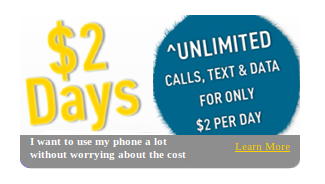
A couple of months back there were articles about mobile phone roaming charges and I feel the best way to prevent such a problem is to just use a local SIM card. So on my short trip to Melbourne, a couple of months back, I was lucky to have my brother’s Optus prepaid SIM which he had used the Optus $2 Days Prepaid plan which offers:

  • Unlimited National Voice Calls
  • Unlimited Standard SMS/MMS
  • Unlimited Mobile Internet Browsing

This trifecta makes is perfect for practically anybody! The last time I was in Melbourne, I tried Vodafone and the data prices were horrendous (most prepaid plans seem pretty expensive in Australia), so I was very surprised to see unlimited data for $2/day. I’ve tried M1’s and Singtel’s offerings in Singapore and both only offered data: no voice or text.

As with all mobile data, coverage is important: there is no use having unlimited data if there is no reception! Check out any coverage maps to ensure that the place you go indeed has 3G reception (Optus coverage map). Also if there network is congested and saturated with people, it can be a frustrating experience. Thankfully, this was not the case with Optus in the CBD area, where I was most of the time.I manged to get consistent 6Mbps download speeds while downloading my podcasts.

Also do remember to read the fine print when signing up for these plans so that you don’t get charge unexpectedly (by wrongly assuming something is free or counted in the deal when it is not). Sadly when you do read the Optus fine print in the Terms & Conditions it says the $2 charges exclude "mobile handset tethering and use of non mobile voice devices" which I made sure I didn’t do just in case. Also their Optus Mobile Fair Go Policy applies to your usage which is basically guarding against ‘excessive usage’ which would probably be detrimental to the general network (i.e. causes congestion for other users)

All in all, I enjoyed the freedom of being able to use my phone without worrying about any caps or running out of credit. I would highly recommend this plan for all those data hungry Twitter / Facebook / Foursquare / Instagram / WhatsApp / Viber / other text alternative apps / general web addicted people out there. Heck if you need a SIM card before you go, I (or you) could ask my brother to borrow the SIM card.

Terms & Conditions of Optus $2 Days (via Optus website)

  • Daily usage fee is $2 and includes unlimited standard national calls, SMS & MMS to Australian GSM mobiles (excluding Pivotel); standard national calls to Australian fixed lines; voicemail retrieval and mobile internet browsing on your handset within Australia. Includes free voicemail deposits within Australia.
  • Excludes premium SMS and content, international and satellite calling and text, international roaming charges, Zoo content usage charges, video calling, 966 calls, mobile handset tethering and use of non mobile voice devices. Optus Mobile Fair Go Policy applies.
  • Timing is based on AEST (the time in Sydney, NSW) regardless of your location. Please adjust your usage to allow for time differences.
  • The usage fee is charged on the first outbound standard national call, SMS, MMS or mobile internet access each day after 12.00.00am AEST. Usage fee is not charged on days when no outbound standard national call, SMS, MMS, voicemail or mobile internet access is made.
  • Unlimited standard national daily calls maximum duration is 24 hours.
  • International calls are charged in increments of up to 10 minutes.
  • Daily usage fee inclusions expire on the earlier of: 1. 11:59:59pm AEST each day; or 2. the time on which you select another offer.
  • If you change from $2 Days to another offer after you have paid your daily usage fee, you will forfeit the benefits available under the Dollar Days offer.
  • Me2U is not available with these offers.
  • Recharge voucher expiry : $10 is 10 days, $15 is 15 days, $20 is 20 days, $30 is 30 days, $40 is 40 days and $50 is 50 days, $70 is 70 days and $100 is 100 days
  • Unused credit rolls over when your next recharge is before your credit expiry.
  • Options for $5, $10, $15 & $20 top-ups are not available. Some handsets are set to seek data automatically (eg email or other apps). This will use the internet and, in some cases, charges will apply.
  • Mobile Internet access requires a compatible handset. Optus may in the future require customers to change their Internet connection settings to be able to access the Internet while on the Dollar Days offers.
  • ^Rollover credit: You must recharge a minimum of 24 hours before your credit expires for rollover to apply.