Pilihan FM Online Streaming – Part 2

So after the ‘failure’ in Part 1 the next step was to roll my own solution. I’ve been listening to the TWiT.tv network since Leo Laporte started it many years back and I noticed that they were running an Icecast server at TWiT.am that streams their audio. Perfect, a great place to start off so do a simple search for icecast on my Ubuntu box which gave the following results.
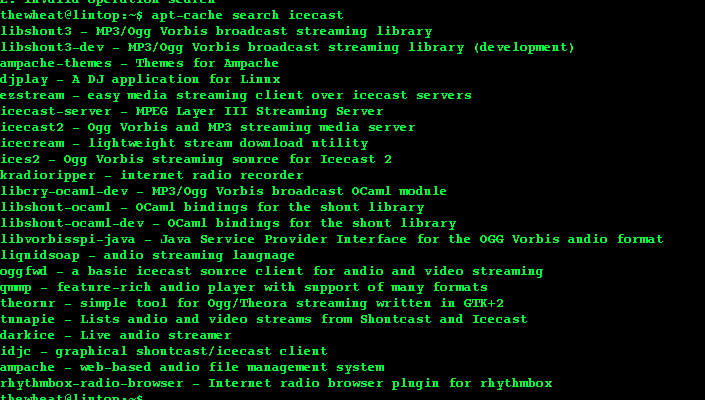
Went ahead and installed icecast2 and ices2 and after Google searching and fussing about I managed to get Icecast running and went on to configuring ices2. It took me some time to understand that Icecast streaming involves 2 components: the Icecast server (which is the machine people connect to in order to listen) and a source client which connects to the server and provides the audio source to the server to be streamed out. Started off with the typical playlist configuration as I did not have a radio at hand. Managed to get OGG streaming to work but then tried it on my sister’s iPad and was reminded that Apple doesn’t really like OGG and would probably only work with an MP3 or AAC stream. So I started fussing around with MP3 files and only to find out that ices2 didn’t support MP3 streaming (I tend to skip over things in my brain’s weird attempt to speed read and thus glossed over this fact: it’s even stated in the screenshot above that it is for “Ogg Vorbis streaming”). Oh well. Then for a reason I thought that I’d try a solution on Windows (I think I blame my possible ADDnes).

It was during this adventure in WIndows Icecast server setup that I discovered ezStream via the Icecast forum’s “Common Source Client List” and was able to configure MP3 re-enconding. The problem I ran here was that I could not hook the line-in input from my phone acting as a radio. I switched back to Linux and managed to get ezStream working but did not find a way to get it to stream from the line-in audio port as perhaps my Linux / gstreamer fu is not good enough yet. In a stroke of luck (or proper research and reading) I finally found darkice which solved my Linux streaming (for those who don’t like the command line there is darksnow that provides a good GUI interface for the darkice source client).

On yet another whim, I decided to tried setting up an Icecast server in OSX (I think it’s one of those ‘because-I-can’ syndromes, that I tried doing this). I managed to get Icecast running easily thanks to
MacPorts using a simple “sudo port install icecast2” but getting a source client was a bit more troublesome. I started with trying darkice due to my success using it in Linux. The problem? It required JACK audio connection kit which I could not get working in OS X. I have to say that JACK documentation seems severely lacking and I’m still left wondering how to use it. There is an OS X implementation of JACK called Jack OS X. I tried to understand how it works and how to use it using this YouTube video embedded below (turn on close captions, CC, for English subtitles) but new interfaces did not show up when starting applications so still no dice.

There was also a darkice Mac OS X branch build that I got the source (svn checkout http://darkice.googlecode.com/svn/darkice/branches/darkice-macosx darkice-macosx) for, but it seems that I do not have the necessary tools to compile it . So finally I found LadioCast which was the same saviour for OS X as darkice was for Linux. So I managed to get a Linux and OS X implementation running and there goes @mfirdaus managing to get it all working on his N900 with some gstreamer magic of “gst-launch pulsesrc ! audioconvert ! lame quality=9 ! shout2send mount=/listen.mp3 port=8000 password=password ip=127.0.0.1”.

Now while the reception on the N900 wasn’t fantastic, it is a great self-contained solution: no external radio or external monitor / keyboard to for configuration. So right now we have 3 implementations but still no proper Windows stand alone solution. I know there is Winamp with a shoutcast plugin, but I’m not sure how to pipe audio from a line-in port into Winamp.

So as I tinker and try to get a proper Windows configuration, I have set up an Icecast server at whose playlist can be accessed at http://bit.ly/pilihan. This URL should work for all platforms (tested with iOS, Android and VLC). You can just click the link and open the m3u file in the default player. This is my own server so may not be up all the time if there is some weird configuration issue / power outage, but hope it helps those who want to listen when they don’t have a radio at hand or for those overseas. Trying to get MFN to get a hold of the IT people at RTB to see if they can implement this on their own servers, but in the meantime self-hosting

TLDR: Click http://bit.ly/pilihan and listen to my server streaming Pilihan FM

SMARTER eVCS Project Update


(Image from http://www.smarterbrunei.org)

So it’s been just over 2.5 months since posted the specifications of the SMARTER eVCS. I did manage to show them a working demo in January but February and March were busy months and did not manage to spend as much time as I wanted on this project. Had to learn some Android development and so far have managed to load images stored on the SD card as well as ability to traverse directories (which corresponds to selecting a picture in the demo). Also finally managed to add some more functionality in terms of voice feedback to the web system and demo’d the new update last Friday.

Tonight I should be meeting up with Alex, one of the teachers, with SMARTER to compile the necessary photos/images/voice clips so that there can be a complete working demo with proper cases for Farid (the son of SMARTER’s president Malai Hj Abdullah bin Hj Malai Othman). I’m still wondering if this is going to be a long term kind of project or are there any other non-profit organizations looking for help with any systems they require? I would love to help them out and also work with volunteers on implementing these projects. I did talk to Zulfadly of Anak.IT and mentioned it on the Anak.IT Facebook group but more volunteers are always welcome.

Do play around with the online working demo. Any feedback is appreciated. Do not that the current version (not updated online yet) has the ability to change profile picture and some general tweaks. Hope to update the online version soon.

To-Do (Near Future)

  • Export feature to compile the necessary files to be transferred to SD card of Android app
  • Android app that is self-contained (requires no pairing with desktop/web system aside from easy generation of file structure)
  • Improve Flash voice performance

To-Do (Further Future)

  • Record audio straight from the browser
  • Customize straight from Android app

P.S. HTML 5 audio is a pain as not all browsers support the same format. Had to resort to Flash to play audio but this gives a performance hit. The initial Flash media player I was using to play MP3 did not autoplay in Chrome so had to use a different Flash player which seems much slower. But this is a rant / post for another day =)

This Week in the Life of a Tech Curious Guy: Pilihan FM Online Streaming – Part 1

Hearing the calls of people wondering how to listen online to Pilihan FM 95.9, a national news radio station. Previously there was an online streaming feature but it seems to have broke. I managed to track down the website page that I presumed used to stream online but it just gave a Flash player that did nothing after pressing the “Play Radio” button. So being curious as I am, I took a look at the source of the page to see if there was any hints of the URL that they used for streaming. Sadly there was nothing, just the .swf Flash file, meaning that the Flash file itself has the necessary information to start the stream. What I needed was a Flash decompiler.

A quick Google search and I found flash-decompiler on Google code, which so conveniently is an Adobe Air application and thus is cross platform. Typically tools such as these are built for Linux or Windows, but I’m running OS X so at least I didn’t have to use another computer or boot up a Virtual Machine to use the tool. The decompiler was easy enough to use: just supply the location of the Flash file and click “Parse” and it greeted me with 3 tabs: “Header Section”, “Tags” and “AS3 Classes”. The “Tags” tab seemed to have quite a bit of information so slowly I took a look at it, trying to find what the play button did and if there was any URL that it processed. After a bit of search viola! mms://202.160.15.86/pilihan was found!

I tried to load the stream, but there was no response. So it seemed that this was a dead stream that no longer exists or that the streaming device / configuration just died. So this round 1 of exploration is deemed as a failure results-wise as the goal of being able to stream the radio online was not met.

So what do you do, when services provided by others don’t work? Well you roll your own solution! In the continuation post we shall learn how to stream audio from a device to the World thanks to the wonders of the Internet. Stay tuned!

USB Modem Lock-in: The Reason to buy a 3rd party 3G USB modem

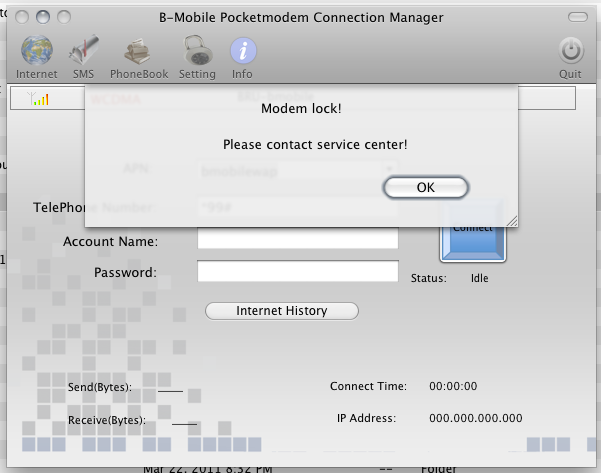
What happens when you put a DST SIM card into a b-mobiled branded TechFaith Flying Angel 46 USB 3G modem as shown below?

You get a bunch of fail as the modem is locked. This is a reason to buy a 3rd party 3G USB modem as it should support any SIM card and thus will be useful for bringing overseas as well. I contacted b-mobile who told me to contact the manufacturer. I tried to email but did not get any response from them. Perhaps it’s round 2 for trying to contact them or try to learn the inner workings for locking and unlocking modems.

LG Optimus One P500 Video Review

This is a long overdue video that has been sitting in iMovie for a long time. I decided to just publish it as I don’t think I have the time to do a ‘perfect’ video review. Will do a more complete text review in the near future.

Video mentions/shows:

  • Overview – Hardware / Experience
  • LG customizations
  • Angry Birds playability
  • Video playback
  • Office document support
  • PDF reading

A more complete full blog post and follow up videos will come in the due time. Overall it’s a great phone with the main shortcoming of the low/limited app storage space and some keyboard issues (to be detailed in follow-up text post)

Streaming UBDFM on iOS Devices

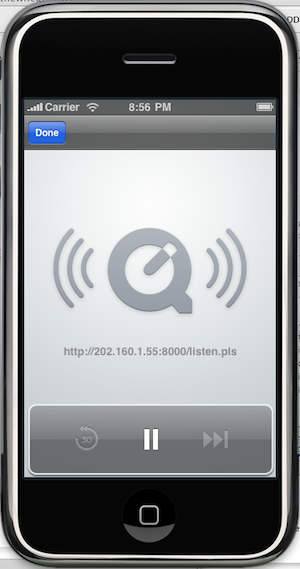
You can stream UBDFM natively, without installing any application, on any iOS device (iPhone / iPod touch / iPad) by

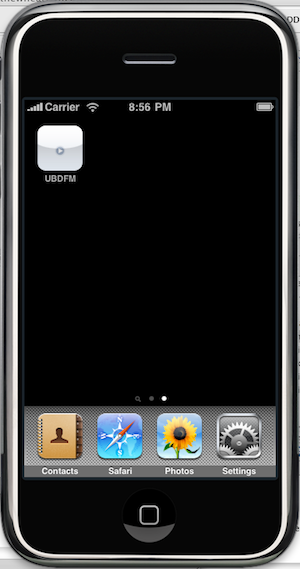
This is shown pictorially bellow and may not be a perfect solution, I heard that it does not play in the background but I’ve tested it on my sister’s iPad with iOS 4.2 and it seems to work flawlessly. Feedback is appreciated =)

Pictorial Walkthrough

  1. Open Safari and go tohttp://bit.ly/ubdfmbrunei or http://202.160.1.55:8000/listen.pls

  2. Add this page to the Home Screen

  3. Give the link a name

  4. Enjoy easy access to stream UBDFM on the homescreen

DST APN for Android: Set your Internet and MMS APNs easily

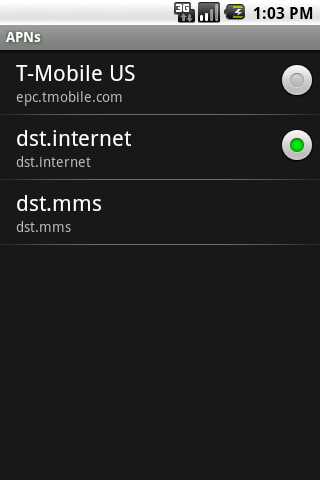
Ever have trouble setting up APN settings (or just being too lazy to type in all the configurations) for your Android device, especially for MMS? The DST APN app will help you out. Just install it, click a button and your APN settings are set and you should be able to surf via the mobile network as well as receive MMS’s.

Download links:

  • DST APN on the Android Market (web version for computers) (seems WordPress.com won’t let me put a link to the Android Market app link for Android devices, so you’re going to have to use this or just search the Market manually)
  • Direct APK download

EasiDial on the Android Market

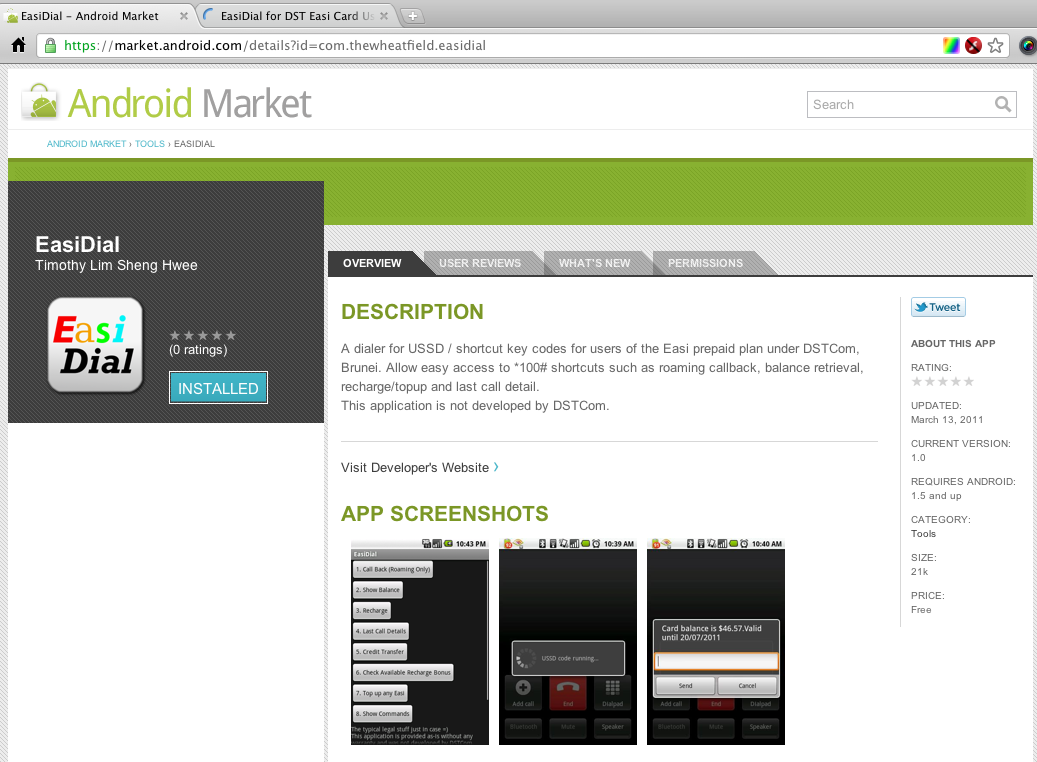
So after much time and effort (mostly making the graphics and trying to read the guidelines) my first Android app, EasiDial, is on the Android Market (or download the apk file). For more into abut EasiDial check out my original post about it. I hope to release more apps as I progress with Android development so stay tuned.

Brunei’s Mobile Network Code

This stems from a comment by faye. Seems that the phone usually detects the values from the SIM card as my Android phone auto populates the MCC and MNC fields but for some non-mainstream phones these values may need to be manually entered

A Mobile Network Code (MNC) is used in combination with a Mobile Country Code (MCC) (also known as a “MCC / MNC tuple”) to uniquely identify a mobile phone operator/carrier using the GSM, CDMA, iDEN, TETRA and UMTS public land mobile networks and some satellite mobile networks. The ITU-T Recommendation E.212 defines mobile country codes.
The following tables contain the complete list of mobile phone operators. Country information is provided for completeness, though this information is best obtained from theList of mobile country codes page, where ISO 3166-1 country codes are also cross referenced.
The MNC and MCC values within the table are decimal numbers.

Source: Wikipedia

UBDFM’s Interview with Bottlesmoker

For anybody who missed out UBDFM’s evening with Bottlesmoker, I managed to record it as a test of VLC‘s streaming and recording capabilities.


MP3 link (To save: Right Click > Save as)

PS: I had trouble uploading it to Archive.org so it’s hosted on Dropbox for the time being.